
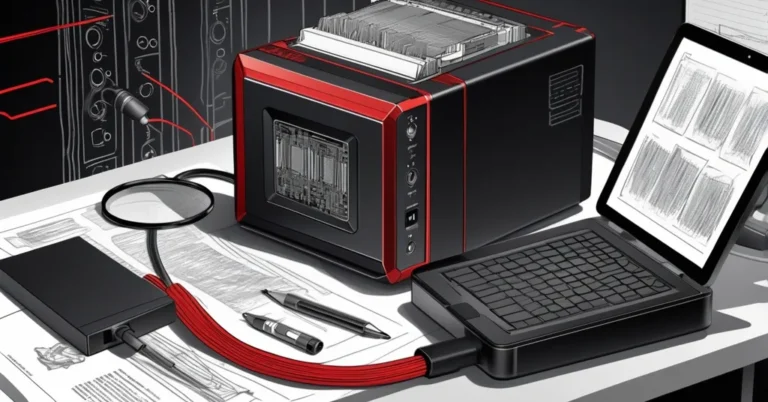
Zettlab D4 AI NAS — plug-and-play on‑prem storage with built‑in AI search
Quick verdict: The Zettlab D4 AI NAS is a practical, privacy‑forward on‑prem device that lets small teams replace parts of their cloud stack with a locally hosted “cloud‑like” experience — and it does so without forcing a command‑line trawl. It pairs a simple web UI (ZettOS) with ZettAI on‑device search and transcription, making self‑hosting approachable for non‑admins while leaving some enterprise questions (model updates, deep integration, sustained heavy load) for IT to verify.
Who should consider the D4
- Small teams and creative shops that move multi‑GB assets and want local control over files.
- Privacy‑conscious organizations aiming to reduce third‑party cloud exposure (legal, small clinics, boutique agencies).
- IT teams looking for a low‑friction pilot for self‑hosting tools like Nextcloud or Dockerized apps.
- Prosumer users who value an easier path than building TrueNAS/OMV from scratch but want more control than pure consumer cloud services.
What you get — headline specs and practical notes
- Form factor: 4 drive bays supporting up to ~24 TB drives each (total depends on drive choice).
- Storage expansion: 1x M.2 SSD slot (supports NVMe cache or storage; check max capacity with vendor).
- Memory: Ships with 16 GB RAM, user‑expandable.
- Networking: 1x 1 GbE port and 1x 2.5 GbE port — modest but usable for small‑team LANs.
- Software: ZettOS (Linux‑based web UI) with an app store (Nextcloud available), Files, Photos, Search and ZettAI.
- Extras: Docker compatibility, UPS support, LCD for system metrics, SD 4.0 card slot.
- Drives: Unit ships without disks — buy NAS‑rated HDDs/SSDs separately.
- Availability & price: Began shipping Jan 6; device price falls roughly in the $400–$1,000 band depending on configuration and market.
Setup and day‑one experience
A ZDNET reviewer reported a full setup in roughly ten minutes, including initializing two 4 TB drives and enabling network shares.
ZettOS focuses on making core tasks trivial: user and Samba/SMB share setup are handled by the GUI so you don’t need to edit smb.conf or wrestle with Linux permissions. Installing apps like Nextcloud is a one‑click process from the app store. That matters: reducing friction gets teams using the device sooner and avoids the “we’ll do it later” pitfall of DIY NAS projects.
Real‑world performance — what to expect
Reviewer‑reported transfers showed a practical example: eight video clips totaling 34 GB copied in about 15 minutes. That’s a useful data point: faster than some entry NAS units and more than adequate for creatives moving multi‑GB files across a wired LAN.
Performance depends heavily on variables you should verify before purchase:
- Client network link (1 GbE vs 2.5 GbE), cabling and switch capacity.
- Drive types and RAID configuration (many small files behave very differently to one large file).
- Concurrent users and active Docker workloads.
Treat the published transfer as a reviewer‑reported snapshot rather than a benchmark. If throughput matters for your workflows, request vendor test results or run a short pilot with your typical client machines and file patterns.
ZettAI — on‑device AI search, tagging and transcription
The standout feature is ZettAI: on‑device search that indexes files, tags media, and transcribes audio/video so content becomes searchable and summarizable without leaving your premises. That’s the core value proposition for teams worried about data sovereignty while still wanting AI‑driven discovery.
Important limitations and operational notes:
- ZettAI only analyzes files that are uploaded to the D4 — it does not reach into cloud accounts or live network shares until they are copied to the box.
- Model provenance, update cadence and whether models can be pinned or run completely offline are not detailed in the reviewer notes — these are essential questions for compliance and AI governance.
- Expect some processing overhead: indexing and transcription consume CPU/RAM, so plan capacity for simultaneous users or heavy media ingestion.
Security, backup and compliance considerations
Switching from a hosted cloud to on‑prem storage shifts responsibility. The D4 can enable stronger data sovereignty, but it also requires clear policies and verification on technical controls:
- Encryption: confirm whether full‑disk encryption and per‑share encryption (or BYOK — bring your own keys) are supported.
- Remote access: confirm secure remote access options (VPN, reverse proxy with MFA) rather than exposing SMB over the internet.
- Backups and snapshots: ask about snapshotting, replication options to another D4 or cloud backup, and recommended RTO/RPO strategies.
- Integration: confirm support for AD/SSO, LDAP, and audit logging for enterprise workflows.
- Firmware and model updates: get a written cadence and rollback policy for ZettOS and ZettAI models — auditors will want this.
Cost and total cost of ownership (TCO)
Device price alone (roughly $400–$1,000) is only part of the picture. Typical additional costs to budget for:
- NAS‑rated HDDs/SSDs: four drives for redundancy and capacity (cost varies widely by capacity and brand).
- M.2 NVMe for cache or fast tiers, if you need desktop‑level responsiveness for many small files.
- Networking upgrades if you want sustained multi‑user 2.5 GbE or higher throughput (switches, NICs, cabling).
- Support/maintenance and potential backup/replication subscriptions or cloud egress for offsite backups.
For many small teams the break‑even vs hosted cloud is reached if you have steady storage needs and want long‑term control. For ephemeral or highly elastic workloads, hosted cloud still offers operational simplicity.
Questions to ask Zettlab before buying
- Which CPU and NPU (if any) power the D4, and what workloads are they sized for?
Confirm the processor model and whether any neural acceleration is present for ZettAI tasks. This affects indexing speed and concurrent transcription capacity.
- Can ZettAI run fully offline and can admins opt out of remote model updates?
Ask for a clear policy on model provenance, update cadence, and whether you can pin a model version for compliance reasons.
- What encryption and key management options exist?
Verify support for full‑disk encryption, per‑share encryption, and whether BYOK is supported for enterprise key control.
- What backup/replication options and snapshot features are available?
Confirm offsite replication, cloud sync integrations, and recommended recovery procedures and timelines.
- Does the device support AD/SSO, granular access control, and audit logging?
These features matter for team governance — ensure they meet your compliance requirements before scaling.
- What are the support tiers, firmware update policy, and warranty/RMA terms?
Ask for SLAs and expected firmware cadence; get written support terms for procurement records.
When to buy / when not to buy
- Buy if:
You need a low‑friction path to self‑host Nextcloud or local file services, want to keep sensitive data in‑house, and have predictable storage needs for a small team.
- Don’t buy if:
You require enterprise‑grade scale and SLAs, heavy concurrent multi‑user throughput across many offices, or tight integration with sophisticated identity and audit systems without vendor confirmation.
Pros and cons — at a glance
- Pros: Very simple setup (reviewer reported ~10 minutes), user‑friendly ZettOS GUI, on‑device AI search/transcription (ZettAI), easy app installation (Nextcloud), Docker support, expandable RAM.
- Cons: Ships without drives, modest network ports (1 GbE + 2.5 GbE), limited disclosure around AI model governance and hardware acceleration, not positioned as an enterprise SAN replacement.
Quick buying checklist for CIOs
- Define expected growth and RAID plan (capacity vs redundancy).
- Set throughput and concurrency targets; pilot with representative users.
- Confirm encryption, backup/replication, and remote access security measures.
- Ask for written update/rollback policy for ZettOS and ZettAI models.
- Budget for drives, potential SSD cache, and any necessary network upgrades.
- Plan a migration pilot: test Nextcloud on MariaDB, validate restore procedures, and train a handful of users before full cutover.
Bottom line
The Zettlab D4 AI NAS is a pragmatic, accessible option for teams that want the privacy and control of on‑prem storage without the historical pain of DIY NAS builds. ZettOS makes SMB shares and app deployment approachable, while ZettAI brings useful on‑device AI for search and transcription. It’s a tactical choice for pilots, small offices, and privacy‑sensitive workloads — a sensible first step off public clouds — but IT leaders should validate AI model policies, backup/replication capabilities, and performance with real workloads before treating it as enterprise infrastructure.