
TL;DR
David Gewirtz rebuilt most of OpenAI’s Codex Micro control surface using an Elgato Stream Deck+ and a handful of plugins, icons, and hotkeys. The result is a cheaper, more flexible multi‑app setup that reproduces agent switching, accept/decline, branching, mic toggle, dial behavior, and pulsing status lights, with trade‑offs around native status integration, tactile keycaps, Bluetooth portability, and the brittle nature of hotkey‑based automations.
What happened, quickly
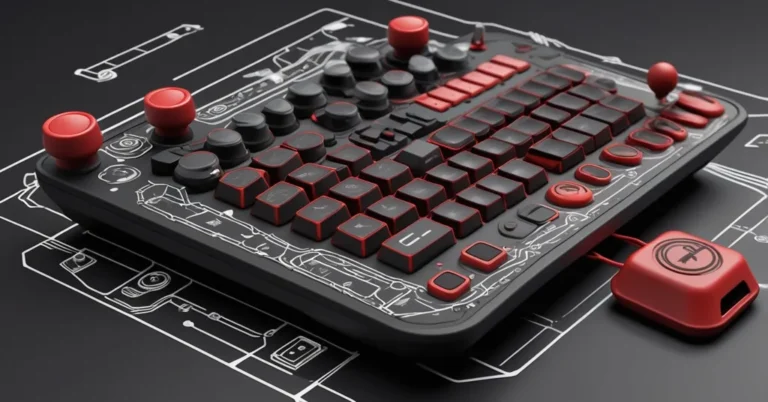
OpenAI (with boutique keyboard partner Work Louder) shipped the Codex Micro: a small hardware control surface with agent‑status keys that light and pulse, programmable function keys, a dial, and a joystick‑style navigator. The unit was reported at $230 and said to have sold out on launch day (as reported by David Gewirtz at ZDNET).
Gewirtz took a Stream Deck+ (he jokes he owns three Stream Decks, including the Stream Deck+ with four dials) and mapped the Codex Micro’s behaviors using the Stream Deck app: per‑application profiles, Hotkey and Hotkey Switch actions, Action Trigger for dial directions and clicks, custom icons, and a paid Elgato Marketplace plugin to emulate pulsing, colored agent lights.
What he used (compact)
- Hardware: Elgato Stream Deck+ (Gewirtz’s unit has eight buttons, a touch strip, and four knobs). Retail Stream Deck models commonly cited: basic 15‑button (~$149), Stream Deck+ (~$179), Stream Deck XL (~$349).
- Assets & plugins: custom icons (he copied and edited keycap art or purchased an icon pack for roughly $11.04), and the Beautiful Thread Pulses plugin (Lideal Innovation) to produce pulsing colored buttons (reported purchase price: $27). The paid Elgato Marketplace plugin ecosystem made the visual emulation possible.
- Workflow tools: Stream Deck app for profiles, Action Trigger, Hotkey and Hotkey Switch actions to send shortcuts to the ChatGPT/Codex web app (Gewirtz’s mappings use macOS/browser conventions such as Cmd‑B and Option‑Shift‑Cmd‑F).
Which Codex Micro features were reproduced?
- Works well (what the Stream Deck approach gives you):
- Agent switching and on‑screen cueing via custom icons.
- Accept/decline and branch commands using Hotkey/Hotkey Switch actions.
- Dial cycling by mapping dial rotations and clicks to different shortcuts through Action Trigger.
- Simulated pulsing status lights using a third‑party plugin (visual only).
- Doesn’t / only approximated:
- True two‑way agent status driven by the app’s firmware/API, the Stream Deck emulates this visually but isn’t natively connected to agent state unless the app exposes status data.
- Physical keycaps and tactile signposting, Stream Decks use on‑screen icons rather than physical interchangeable caps.
- Bluetooth portability, the Codex Micro supports USB‑C and Bluetooth; Stream Deck+ setups are typically USB‑connected (Stream Deck models are wired via USB‑C and do not provide native Bluetooth).
“Stand back and sit down. I turned my Stream Deck+ into my very own Codex Micro. And then I rested. And it was good.”, David Gewirtz, ZDNET
Why this matters to teams and leaders
There are three business‑grade lessons here.
- Economics and reuse: If you already own a Stream Deck, you can repurpose it across many applications (ChatGPT/Codex, video editing, streaming, Slack), increasing utilization of a single capital purchase. For teams buying new gear, the decision becomes a “single‑purpose device vs. general‑purpose surface” trade.
- Integration stability vs. flexibility: A dedicated device with native integration tends to be more robust when the target app changes. A hotkey‑based Stream Deck mapping works now but may need updates when keyboard shortcuts, page layouts, or localization change.
- Operational maintenance: Hotkey and plugin approaches introduce maintenance overhead: versioned profiles, plugin vetting, and periodic remapping. That overhead is small for power users but matters when scaled across teams.
Practical trade‑offs, a checklist to run before you commit
- Test 1, Toggle mic: Map your mic toggle and run it during a live session; confirm it works regardless of which browser tab has focus.
- Test 2, Trigger branch: Map your branch command (Gewirtz used Option‑Shift‑Cmd‑F on macOS) and verify the workflow produces the same result as clicking the UI element.
- Test 3, Menu popups: Ensure menu popups triggered by an @ or / command appear within stable coordinates so your shortcuts stay reliable across updates.
Estimated setup time: 30-90 minutes for a working profile (hotkeys, basic icons, and testing); extra 15-30 minutes to polish icons and add pulsing/status visuals with a paid plugin. Plan on 15-60 minutes of occasional maintenance when the target app gets updated.
How to reduce fragility and operational risk
- Document your mappings and keep a versioned backup of Stream Deck profiles.
- Vet Marketplace plugins (reviews, author reputation, permissions) before purchase; prefer plugins with active support.
- Where possible, prefer API or native integrations over hotkeys. If an official API exists (check with the app vendor), use it to drive true two‑way status indications instead of simulated pulses.
High‑level how‑to blueprint
- Create a Stream Deck profile and tie it to the browser tab running ChatGPT/Codex (profile-to-application mapping).
- Use Hotkey and Hotkey Switch actions to send the keyboard shortcuts your target app recognizes (Gewirtz’s example shortcuts reflect macOS/browser conventions).
- Use Action Trigger to capture dial rotations and clicks and map each direction or click to different hotkeys.
- Customize per‑button graphics, edit or purchase icons to visually match the Codex layout.
- Add a pulsing/status plugin (Gewirtz used Beautiful Thread Pulses) if you want animated visual feedback; treat this as cosmetic unless the plugin connects to real agent state.
- Test end‑to‑end across a real session, then iterate.
Buyer personas, a clear recommendation for each
- The power multitasker: Already owns a Stream Deck or needs a single device for editing, streaming, and agent control. Recommendation: prototype with your Stream Deck first; it’s almost always the better ROI.
- The focused agent user: Runs Codex/ChatGPT agents all day, values plug‑and‑play, tactile keycaps, and Bluetooth portability. Recommendation: a dedicated Codex Micro may be worth the spend for the native experience and lower maintenance.
- The IT buyer / team lead: Needs standardized, low‑support hardware across a team. Recommendation: consider procuring the dedicated device if you need consistent behavior across users; otherwise, ship Stream Decks with a vetted profile and a maintenance plan.
Decision checklist, three quick steps
- Step 1: If you already have a Stream Deck, build a 45-90 minute pilot profile and run it for a week in production tasks.
- Step 2: Measure the friction, time to trigger actions, frequency of remapping, and user preference for tactile keys vs. on‑screen icons.
- Step 3: Decide: buy a Codex Micro for a one‑off tactile, native experience; or standardize on Stream Decks for multi‑app flexibility and higher utilization.
Key takeaways, quick questions and answers
-
Can a Stream Deck mimic the Codex Micro?
Yes, David Gewirtz demonstrated that a Stream Deck+ can reproduce agent switching, accept/decline, branching, mic toggles, dial navigation, and pulsing visual feedback using hotkeys, Action Trigger, custom icons, and a paid pulsing plugin.
-
What does it cost to approximate the Codex Micro on a Stream Deck?
Costs vary by model: common retail examples place basic Stream Decks in the low hundreds (examples cited: about $149 for a 15‑button model, $179 for a Stream Deck+, $349 for an XL). Gewirtz paid roughly $27 for the pulsing plugin and either edited icons or purchased an icon pack (around $11.04). Final cost depends on which Stream Deck you buy or already own.
-
Is the Stream Deck approach fragile?
Somewhat, it depends on keyboard shortcuts and third‑party plugins. Changes to the web UI, localization, or keyboard shortcuts can break mappings. Mitigate with documented profiles, version backups, and preferring API integrations where available.
-
Who should buy the Codex Micro?
Buyers who value tactile keycaps, Bluetooth portability, and a dedicated, plug‑and‑play integration with ChatGPT‑style agents will prefer the Codex Micro. If you want one device that performs across many tools and you accept occasional remapping, a Stream Deck gives more flexibility and value.
David Gewirtz’s experiment shows that flexible control surfaces and a healthy plugin ecosystem can reproduce much of a single‑purpose device’s behavior, often at a lower marginal cost and with broader reuse. But native hardware features (two‑way status lights, physical keycaps, wireless portability) still matter for users who live in one tool all day. Run a short pilot with the hardware you have before standardizing across a team; that simple test will expose whether you need novelty or versatility.