
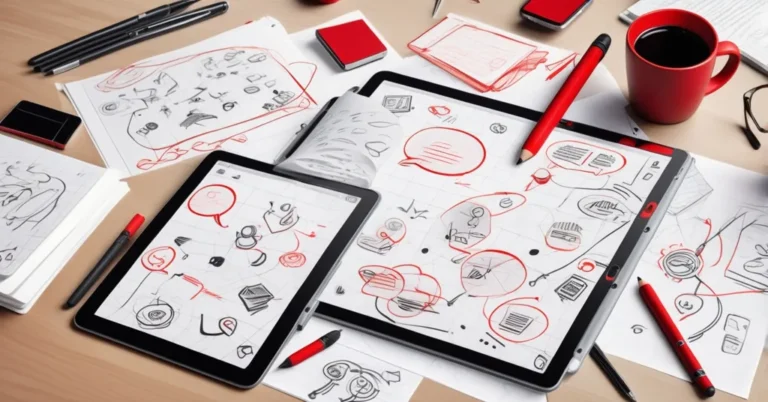
ReMarkable Paper Pure review — a cheaper digital‑paper tablet for serious note takers
TL;DR — ReMarkable Paper Pure is a focused 10.3″ digital paper tablet that preserves the brand’s pen‑to‑paper handwriting feel for $399, but you trade a larger display, a backlight, and stronger internals for that price while paying extra for collaboration and cloud features via the Connect subscription.
Quick specs and price
- Price: $399 (tablet + Marker Basic); $449 bundle includes Marker Plus and a folio.
- Display: 10.3″ monochrome E Ink (high contrast, no backlight).
- Size & weight: ~7.4 x 8.9 inches; ~0.79 lb.
- Storage & performance: 32GB local storage; 1.7 GHz dual‑core ARM Cortex‑A55 CPU; 2GB LPDDR3 RAM.
- Ecosystem: Closed OS (no app store); exports via PDF/PNG; manual EPUB import for ebooks.
- Connect subscription: $3.99/month or $39/year — enables cloud storage and integrations (Slack, Miro, Dropbox, Google Drive, OneDrive).
- Notable features: browser‑based screen‑share to mirror the tablet for live sessions; Send to Slack / Send to Miro.
- Review score (representative): ZDNet rated it 4/5 (“Very good”).
What it is, in plain English
The Paper Pure trims hardware and some niceties from ReMarkable’s higher‑end model to make a more affordable note‑taking tablet. E Ink is a paper‑like display that’s easy on the eyes and extremely power‑efficient. The trade‑offs are deliberate: a smaller monochrome screen, no backlight, lighter chassis, and weaker internals—but the pen experience remains the central promise.
“The Paper Pure preserves ReMarkable’s core focus on distraction‑free work and making the pen feel like real paper.”
If your team’s workflow is ideation and handwritten capture—not media consumption or running apps—those design decisions line up with the device’s ambitions. ReMarkable chose to prioritize “doing” over “consuming.”
“The device is designed to get you to act — ‘do, not consume’ — prioritizing creation over passive reading.”
Hands‑on impressions: handwriting, build and performance
The headline is simple: the handwriting and sketching fidelity is the reason to consider this device. The Marker Basic and Marker Plus (optional) deliver low latency and a natural stroke that still beats most tablets when it comes to feeling like pen on paper.
That said, expect a few compromises. The 10.3″ display is slightly smaller than the Pro’s 11.8″ panel, and there are occasional input delays and a bit of chassis flex when you press hard. The 2GB RAM and dual‑core CPU are adequate for note‑taking and light sketching but are modest compared with other E Ink tablets that target multitasking. For rapid page‑flipping, large multi‑layered sketches, or heavy PDF annotation, you may notice occasional stutter.
The monochrome E Ink delivers surprisingly high contrast—often matching or even out‑performing the Pro—despite the absence of a front light. That makes it comfortable for long writing sessions but less convenient in dim environments, since there’s no backlight to fall back on.
Collaboration, cloud and the Connect subscription
ReMarkable keeps a closed interface—there’s no Google Play Store or third‑party apps—but it has started weaving in targeted integrations that matter for teams. Send to Slack, Send to Miro, and cloud sync with Dropbox, Google Drive and OneDrive let notes flow into common collaboration hubs. A browser‑based screen‑share mirrors your tablet for remote whiteboarding; reviewers found it straightforward and useful for client and team sessions.
Most integrations and unlimited cloud storage sit behind Connect ($3.99/mo or $39/yr). For a solo note hobbyist, Connect is optional. For teams that want seamless sharing, searchable cloud archives, or to push hand‑written content into collaboration workflows, Connect quickly becomes valuable.
Enterprise lens: procurement, security and TCO
Executives evaluating Paper Pure for teams should think beyond specs and focus on workflow fit, security and total cost of ownership over a 2–3 year lifecycle.
- Security & privacy: Ask whether OCR and any content‑processing happen locally on the device or in the cloud. Cloud OCR and integrations increase convenience but raise questions about data residency, encryption at rest, and vendor access to sensitive notes. Negotiate encryption, SLAs and data handling terms if deploying at scale.
- TCO example (illustrative): Device $399 + Connect $39/yr = $516 in year one including a year of subscription. Over three years the per‑seat cost is roughly $516 + 2×$39 = $594 (device + 3 years of Connect). If you plan to keep devices longer or don’t require Connect for every seat, costs change accordingly.
- Pilot guidance: Run a 30–90 day pilot with 10–25 users across roles (product, sales, design) to test handwriting OCR, sync latency, screen‑share reliability in real meetings, and fit with your ticketing/project tools. Use the pilot to quantify time saved by faster note capture and fewer follow‑up clarifications.
- Fleet management: Confirm enterprise provisioning options—device enrollment, remote wipe, and mass user management—before large deployments. ReMarkable’s ecosystem is still oriented to consumers/prosumer teams, so ask about volume licensing and enterprise support.
Competitors and when to choose each
There are three common buyer profiles:
- Buy Paper Pure if: You want a distraction‑free digital‑paper experience with best‑in‑class handwriting feel at a lower entry price, and you’re comfortable with a closed OS plus a subscription for team features.
- Buy Paper Pro if: You need a larger canvas, faster internals, and a slightly more premium build and don’t mind paying more up front.
- Consider Kindle Scribe or Boox models if: You need richer ebook ecosystems (Kindle) or a more open Android E Ink tablet with third‑party apps and multitasking (Boox).
Each option trades ecosystem openness, note‑taking fidelity, and device cost differently. If your priority is pure handwriting and ideation workflows tied to Slack/Miro, Paper Pure is compelling. If you need heavy PDF workflows, app flexibility, or ebook convenience, evaluate Kindle Scribe or Boox devices.
AI integrations: quick wins and caution flags
Paper Pure is a natural host for productivity‑oriented AI features. High‑value capabilities include:
- Handwriting OCR → searchable notes: Turn pages into searchable text and index them for quick retrieval across your team.
- Automated summaries and action extraction: Convert meeting notes into concise summaries and extract tasks, owners and due dates to push into Jira, Asana or Slack.
- Note agents: Lightweight agents that convert sketches into structured artifacts (wireframes → ticket skeletons, flowcharts → documentation) could accelerate handoff.
Two important caveats for business buyers:
- Subscription gating: If advanced AI features live behind Connect, the subscription becomes not just convenience but a productivity tax. Budget and negotiate accordingly.
- Data governance: AI features often require server‑side processing. Clarify whether training or retention of private notes is allowed, and demand enterprise controls on model fine‑tuning and data deletion.
Who should buy — quick checklist
- Good fit: Product teams, designers, consultants and executives who prioritize handwriting fidelity, quick ideation, distraction‑free note taking, and simple integrations to Slack/Miro.
- Think twice: Heavy PDF annotators, readers who rely on ebook ecosystems, teams that need custom apps or granular fleet management today.
Final verdict & buying guidance
ReMarkable Paper Pure is a sensible, well‑calibrated product for people who want the pen‑first experience without paying Pro prices. It trims hardware where it’s least likely to damage handwriting quality and augments that core experience with targeted collaborative features. The closed OS remains a strategic constraint: you trade app flexibility for focus and minimal distraction.
For procurement teams: pilot the device with cross‑functional users, confirm Connect’s privacy and data‑processing terms, and build subscription costs into the 2–3 year TCO. Negotiate enterprise terms if you plan a fleet deployment—volume discounts, SLA guarantees for cloud services, and clear data governance will mitigate vendor lock‑in risks.
Quick FAQs
- Is the Paper Pure a downgrade from the Pro?
No—the handwriting and sketching experience remains excellent. The trade‑offs are a smaller 10.3″ screen, no backlight, and weaker internals to hit the $399 price point.
- Does it support live collaboration?
Yes. The browser‑based screen‑share mirrors the tablet in real time, and you can Send to Slack or Send to Miro for asynchronous collaboration. These features are most useful when paired with the Connect subscription.
- Is the ecosystem open?
No. The device runs a closed OS with no third‑party app store. Integrations are provided via ReMarkable and its Connect service.
- How much does Connect cost and what does it add?
$3.99/month or $39/year. It unlocks unlimited cloud storage and integrations (Slack, Miro, Dropbox, Google Drive, OneDrive) and enables collaborative features that teams rely on.
- Will the modest hardware age badly?
Possibly. The Paper Pure is tuned for today’s note‑taking features. If ReMarkable adds heavier OS features or local AI processing in future, the device’s modest CPU and RAM could become limiting—plan pilots and ask ReMarkable about roadmap commitments.
Paper Pure is not for everyone, but for teams that value distraction‑free productivity and handwriting fidelity—and who are willing to accept a subscription for cloud and integrations—it’s one of the strongest value propositions in the digital‑paper space today.