
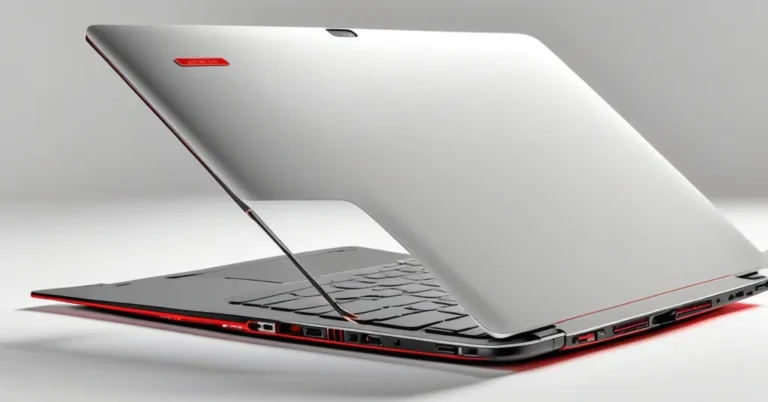
Why I’m recommending the HP OmniBook Ultra 14 to almost everyone in 2026, with a couple of caveats
TLDR: Outstanding battery life and a very high-quality 3K OLED make the OmniBook Ultra 14 an excellent pick for most professionals who travel or need a full day of work away from a power outlet. If your job runs multi‑hour, sustained multicore tasks, pick a thicker, higher‑TDP machine instead.
ZDNET gave the OmniBook Ultra 14 a 4/5 rating in July 2026 and recommends it to power users and professionals. Their review calls out an all‑day battery, a color‑accurate OLED, and a thin, premium chassis, while also noting the glossy screen, an average webcam, and expensive top configurations.
“At first glance, the 2026 HP OmniBook Ultra 14 might remind you of the MacBook Air, but it’s anything but a toned-down version of something more Pro.”, ZDNET (July 2026)
What stands out (and the facts you should keep handy)
- Design: Recycled aluminum chassis, one‑finger lift pass, tapers from 10.7 mm to 7.3 mm at the edge, and weighs “slightly under three pounds” (ZDNET, July 2026).
- Display: 3K OLED covering DCI‑P3. HP states the panel achieves Delta E < 1 (reported by ZDNET), which, if accurate, means very high color fidelity for most color work. The panel is glossy and reflective outdoors (ZDNET).
- Battery: ZDNET’s review unit ran just under 24 hours in their battery test, an exceptional figure for a full Windows ultrabook. HP’s OmniBook 3 is cited at about 28 hours for comparison (ZDNET).
- Keyboard / trackpad: ZDNET praises the “latticeless” keyboard feel and HP’s “waterfall” haptic touchpad for comfortable long typing sessions.
- Camera: 5MP webcam with Windows Hello and automatic framing support; ZDNET describes image quality as serviceable but slightly desaturated with some noise in low light.
- Performance (review unit): The tested model uses a Qualcomm Snapdragon X2 Elite with 64 GB RAM (ZDNET). Cinebench 2024 short test: 156 single‑core (SC) / 1, 212 multi‑core (MC). Longer stress test: 131 SC / 690 MC (ZDNET).
- Price: Base Intel Core configurations start around $1, 200; the high‑end Snapdragon review unit with 64 GB RAM landed near $2, 910 (ZDNET).
- Color → CPU mapping: Stone Blue models ship with Snapdragon; Eclipse Gray and Silk Sand ship with Intel CPUs (ZDNET), a crucial ordering detail.
What the benchmarks actually mean
The Cinebench numbers show two behaviors. Short bursts deliver strong scores, 156 SC and 1, 212 MC. Under a longer Cinebench loop, scores fell to 131 SC and 690 MC. That’s a multicore drop of about 43% (1, 212 → 690) and a single‑core drop of about 16% (156 → 131) between the short and long runs.
ZDNET reads the drop as the system prioritizing thermal efficiency and quiet operation over sustained peak multicore throughput. That matches a common thin‑and‑light tradeoff: to stay cool and quiet, the laptop reduces sustained clock speeds during prolonged heavy loads.
Practical takeaway: short, spiky tasks and daily productivity feel snappy. Long, heavily threaded jobs, multi‑hour video exports, extended compiles, or large local ML workloads, will run noticeably slower than on a thicker, higher‑power laptop or desktop built for sustained performance.
Why the Snapdragon model gives such long battery life
The review unit’s Snapdragon X2 Elite is an ARM‑based SoC (reported by ZDNET). Windows on ARM often trades some raw x86-style multicore peak for much better energy efficiency, which is why the Snapdragon configuration achieves remarkable runtime. Cross‑architecture benchmark comparisons, ARM versus Apple M‑series versus Intel, are useful but need context: instruction sets, native versus emulated code paths, and workload types all change how scores map to real work.
Camera, gloss, and small annoyances
The 5MP webcam supports Windows Hello and automatic framing, but ZDNET found colors a bit desaturated and noise visible in some lighting. Resolution alone doesn’t guarantee color fidelity or low‑light performance. And the OLED’s gloss gives great contrast indoors while increasing reflections outdoors, an important tradeoff if you work outside a lot.
Pricing and the “RAM crisis” note
ZDNET lists base Intel models at about $1, 200 and the reviewed Snapdragon 64 GB unit at roughly $2, 910. The review does not claim a “RAM crisis”; the high price of fully loaded SKUs is simply factual. If you’ve seen talk about constrained high‑capacity RAM supply, treat that as a separate market topic and check with your channel partners or HP’s configurator for current lead times and OEM notes.
Who should buy, and who should look elsewhere
- Best fit: Knowledge workers, frequent travelers, consultants, executives, and creatives who value long battery life, a bright and color‑accurate OLED, and a refined typing experience. Ideal for heavy day‑to‑day productivity, long call days, photo edits, and short video exports.
- Consider alternatives if: Your workload is sustained heavy multicore compute for hours at a time, like multi‑hour renders, full builds, or large local ML training. The OmniBook will run cooler and quieter but will not maintain the same multicore throughput as thicker, higher‑power desktops or workstation laptops.
- Pick Snapdragon (Stone Blue) if: Marathon battery life and quiet efficiency are top priorities.
- Pick Intel (Eclipse Gray / Silk Sand) if: You want a lower starting price or need the broadest x86 compatibility without relying on emulation for legacy apps.
Quick practical checks to run before you buy
- Confirm the exact SKU and color mapping in your region, Stone Blue = Snapdragon, others = Intel (ZDNET reports this mapping).
- Ask HP or your reseller for the battery test methodology behind the “just under 24 hours” figure: brightness level, Wi‑Fi state, and workload profile make big differences.
- If you run sustained heavy jobs, request a sustained‑run test, like a HandBrake encode or a long Cinebench loop, and, if possible, ask for clock‑speed and thermal telemetry during the run.
- Verify port selection, Thunderbolt/USB4 support, and the included power adapter on the exact SKU you plan to buy.
- For color‑critical work, ask for independent colorimeter readings, including sRGB/DCI‑P3 coverage and measured Delta E, or consult a lab review.
What I’d like HP to publish for enterprise buyers
- Clear region‑by‑region color to CPU SKU table so buyers don’t get the architecture they didn’t expect.
- Published sustained‑power and thermal profiles plus fan and noise modes, and optional telemetry for enterprise validation.
- Independent panel measurements (Delta E, luminance, gamut coverage) or full lab data from an accredited tester.
- Serviceability and repairability guidance and warranty options for fleet purchases.
Key takeaways, quick Q&A
-
Is the OmniBook Ultra 14 a good choice for most professionals?
Yes. ZDNET (July 2026) rated it 4/5 and recommends it to power users for its design, display, and long battery life. For daily productivity and mixed creative tasks it’s an excellent all‑rounder.
-
Will it last all day on a charge?
In ZDNET’s testing the review unit ran just under 24 hours on a single charge, exceptional for a Windows ultrabook, but your runtime will vary with brightness, apps, and power settings.
-
Are there performance limitations I should worry about?
Yes for a specific use case: Cinebench 2024 scores dropped from 1, 212 MC (short) to 690 MC (long), roughly a 43% multicore falloff, indicating the system reduces sustained multicore throughput to manage heat and efficiency. Expect slower multi‑hour exports or builds compared with higher‑TDP machines.
-
Does the display meet professional color needs?
HP states the 3K OLED covers DCI‑P3 and has Delta E < 1 (reported by ZDNET). That suggests excellent color accuracy, but enterprise color work should verify with independent colorimeter measurements.
-
Snapdragon or Intel, which one should I buy?
Choose Snapdragon (Stone Blue) if battery life and quiet efficiency are priorities. Choose Intel (Eclipse Gray or Silk Sand) for a lower starting price and the broadest legacy x86 compatibility.
Final thought
The OmniBook Ultra 14 is a thoughtfully engineered ultrabook: premium build, a class‑leading OLED panel (per HP’s claim), and a Snapdragon configuration that delivers unusually long real‑world runtime. For most business users it will be an excellent, portable workhorse. If your definition of “workhorse” includes sustained, multi‑hour multicore throughput at maximum speed, add a high‑TDP laptop to the shortlist for comparison.