
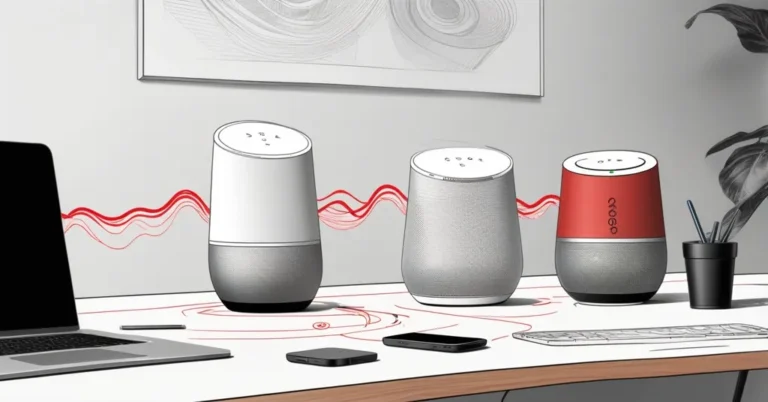
Google Home Speaker vs Sonos Era 100, which to buy for the office
Think of the Era 100 as the musician and the Google Home Speaker as the conductor. One focuses on reproducing sound with musical intent, the other is compact, conversational, and built to manage the modern smart‑home (or smart office) stack. For business buyers the decision comes down to a clear question: do you need a better listening experience in rooms, or a low‑cost AI plus smart‑device hub that handles Thread and Matter? The short, practical answer: Sonos for audio, Google for smart‑home control, and a hybrid setup if you need both. ZDNET describes it as Google’s first new speaker in six years with a focus on assistant and connectivity.
Quick headlines
- Google Home Speaker, available for $100. ZDNET describes it as Google’s first new speaker in six years, with “Gemini for Home” built in and support for Thread 1.3 and Matter (ZDNET).
- Sonos Era 100, listed around $220 (commerce promos have shown $219). Praised for audio hardware and clarity, with Sonos Voice Control and Amazon Alexa (classic) built in (Sonos documentation, RTINGS).
“The Google Home Speaker is available for $100 and serves as a hub for Google Home, with Gemini for Home built in.”, ZDNET
“The Sonos Era 100 costs $220, is one of the best smart speakers available, and features Amazon Alexa built in.”, ZDNET
Sound quality: why Sonos takes the lead
Sonos built the Era 100 around an audio‑first design. ZDNET reports the Era 100 uses “3 Class‑D amplifiers, 2 angled tweeters, [and] 1 midwoofer, ” and Sonos includes room‑tuning and pairing features that push it closer to a bookshelf speaker than a generic voice gadget. Independent testing (RTINGS) highlights the Era 100’s clear midrange and vocal clarity. That makes it a strong pick for music, podcasts, and conference calls.
For businesses that care about audio in shared spaces, the Era 100 is the better choice. Use it in meeting rooms, executive offices, breakrooms, or anywhere speech intelligibility and music fidelity matter. RTINGS also notes limits: bass depth and maximum loudness trail larger bookshelf or powered monitors, so the Era 100 works best in small to medium rooms.
AI assistant and smart‑home hub: where Google wins
The Google Home Speaker’s main advantage is software and connectivity. ZDNET reports it ships with “Gemini for Home, ” Google’s generative assistant tuned for household voice interactions. The device also functions as a Thread 1.3 border router and a Matter controller. Thread is a low‑power mesh protocol for modern IoT devices. Matter is the cross‑vendor application layer that simplifies device interoperability. Together they let a compact speaker register and manage smart locks, sensors, and lights from multiple vendors.
If your business is standardizing on Matter and Thread, an affordable $100 device that runs a generative assistant can be a useful per‑room hub. If you need a voice interface that handles multi‑step requests and ties into Google services, the Google Home Speaker is the practical utility player.
Connectivity, assistants, and practical limits
- Google Home Speaker (reported): price $100, a single 58mm full‑range driver, Wi‑Fi 6 dual‑band, Bluetooth 5.4, Thread 1.3, capacitive touch controls, colors: Berry, Porcelain, Hazel, Jade. ZDNET also lists 1GB RAM and 4GB storage.
- Sonos Era 100: reported at about $220; supports Wi‑Fi, Bluetooth, Apple AirPlay 2, and line‑in. Sonos Voice Control and Amazon Alexa (classic) are available. Physical touch panel on top. Colors: Black, White.
Two important caveats for procurement teams:
- Era 100 supports Alexa (classic) and Sonos voice, but ZDNET reports it “doesn’t support Alexa+” meaning the newer generative‑AI versions of Alexa. Confirm current compatibility with Sonos and Amazon before committing large fleets.
- Thread and Matter support can vary by device model and region. ZDNET attributes Thread 1.3 border router and Matter controller roles to the Google Home Speaker. Verify the specific device and firmware if Thread border‑router capability is a requirement.
Hybrid approach, how one reviewer set it up
ZDNET describes a hybrid configuration using an Era 100 as the audio endpoint and a Google TV streamer for streaming and hub functions. In that setup the Google streamer handled 4K streaming and Matter/Thread responsibilities while the Era 100 delivered superior sound. This is a pragmatic middle ground when you want both great audio and a robust smart‑device backbone.
Note: confirm that your chosen Google streaming device supports Thread and Matter and acts as a Thread border router. Capabilities vary by model and firmware.
What this means for businesses, an action checklist
Match procurement to priorities. Use this checklist before you purchase:
- Define the primary use case: audio fidelity for rooms (Era 100) or distributed smart‑device management and conversational AI (Google Home Speaker).
- Verify device capabilities: confirm Thread/Matter and border‑router support on the exact Google model; confirm which Alexa features Sonos supports today.
- Plan deployments: for audio plus automation, pilot a hybrid setup in 2-3 rooms (Era 100 plus a verified Google hub) to measure audio satisfaction, provisioning time, and device behavior under load.
- Check privacy and compliance: Sonos provides a microphone toggle and Sonos Voice Control as a privacy‑focused option. Review vendor privacy pages for data handling details if you operate in regulated environments.
- Budget intelligently: Era 100 costs around $220 and the Google Home Speaker is reported at $100. A two‑device per‑room strategy raises hardware cost but often delivers better audio and clearer automation than an all‑in‑one compromise.
Deployment scenarios, quick guidance
- Open plan meeting rooms and break areas where music and spoken content matter: prioritize Era 100 for clarity and tonal balance.
- Smart office rollouts that center on device management (locks, sensors, Matter devices) and conversational AI touchpoints: prioritize the Google Home Speaker (Gemini for Home and Thread/Matter per ZDNET).
- Hybrid needs, where both high‑quality audio and centralized automation matter: pilot Era 100 as the endpoint and a Google device as the hub. Iterate on placement and provisioning workflows.
Privacy and lifecycle considerations
Sonos highlights privacy controls, including a hardware microphone switch and Sonos Voice Control. Google and Amazon have different data processing models and retention practices for assistant interactions. Read vendor privacy pages and test feature defaults before mass deployment. Also factor firmware update cadence and corporate support options into vendor negotiations.
Key takeaways, short Q&A
- Which speaker sounds better for music and meetings?
- Which speaker is better for smart‑home control and AI conversation?
- Can I get both excellent sound and a smart‑home hub?
- Does Era 100 support Amazon’s generative Alexa features (“Alexa+”)?
- How should businesses decide which to buy?
Sonos Era 100, both the reviewer and independent testing (RTINGS) point to clearer mids and a bookshelf‑style presentation, though it has limited low‑end extension and isn’t built for very large rooms.
Google Home Speaker, ZDNET reports it includes Gemini for Home and functions as a Thread 1.3 border router and Matter controller, which makes it stronger for device management and generative conversational tasks.
Yes, a hybrid approach works: use an Era 100 for listening and a Google device (or verified Google TV streamer) for Thread/Matter hub duties, as the reviewer did. Confirm hub capabilities on the exact Google model before you buy.
ZDNET reports the Era 100 supports Amazon Alexa (classic) but “doesn’t support Alexa+.” Verify current compatibility with Sonos and Amazon if generative Alexa features are required.
Prioritize by function: buy Sonos Era 100 where audio quality is mission‑critical; buy Google Home Speaker where low‑cost smart‑home hubs and a generative assistant are the priority; pilot a hybrid setup where both are needed.
Three‑step procurement checklist for C‑suite and IT
- Identify the core use case for each room: audio, automation, or both.
- Verify device compatibility and feature support on the exact SKUs and firmware you plan to deploy: Thread/Matter, Alexa generative features, Gemini behavior, and privacy controls.
- Pilot a small fleet, 2-3 rooms, and measure audio satisfaction, provisioning time, and support needs before a full rollout.
Good audio and good automation rarely come from the same compromise device. Treat the Era 100 as the musician and the Google Home Speaker as the conductor, pair them when you need both, but buy each for the job it was built to do.