
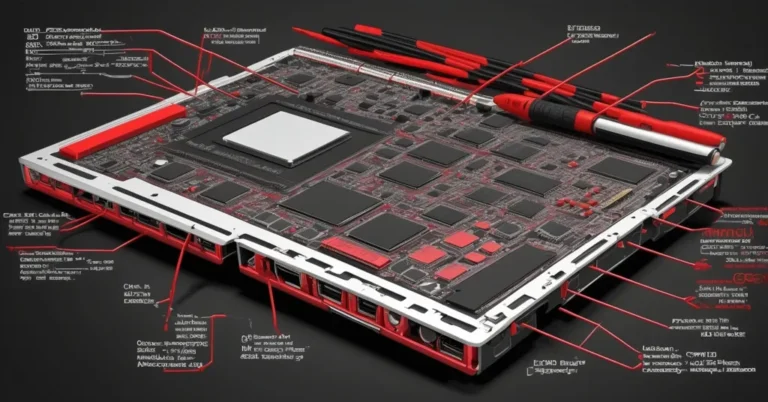
Framework Laptop 13 Pro: A modular, repairable Linux developer laptop built for long life and high efficiency
TL;DR: Framework’s Laptop 13 Pro is a redesigned, thin-and-light modular laptop aimed at developers and Linux-first teams who want repairability, upgradable RAM, and strong battery life in a premium chassis. Best for Linux-first dev teams, AI researchers who need burstable external acceleration, and IT groups pursuing lower total cost of ownership through repair and upgrades.
Quick pros & cons
- Pros: True modularity (every part swappable with one screwdriver), upgradable LPCAMM2 RAM, 74Wh battery with strong endurance claims, Linux-friendly options, external PCIe via OcuLink, and backward compatibility with existing Framework 13 parts.
- Cons: Some claims (battery, gaming) are company-reported and need independent verification; no OLED option; enterprise support and driver maturity for newer hardware (fingerprint, haptic pad) will need validation.
Design & build: repairable meets premium
Framework kept its modular DNA but moved to a sleeker aluminum chassis. The 13 Pro is roughly 3 pounds and about 0.6 inches thick—a true ultraportable footprint while remaining fully serviceable. Framework says “every part is swappable with a single screwdriver,” and that promise extends to the mainboard, display, battery, keyboard, and more.
Optional premium touches include a haptic touchpad and a fingerprint reader (both with Linux support listed by Framework). Cosmetic options like plated bezels and alternative keycaps give it a less industrial, more premium look than past modular laptops.
Key specs at a glance
- CPU options: Intel Core Ultra (Panther Lake) — Core Ultra 5, X7, X9; optional AMD Ryzen AI 300 series.
- Memory: LPCAMM2 removable modules, 16GB/32GB/64GB; upgradeable.
- Display: 13.5″ LCD, 2880 × 1920 (3K), up to 700 nits, 30–120Hz variable refresh.
- Battery: 74Wh cell; Framework reports 20+ hours of video playback in their internal test.
- Ports: Expansion-card system (four Thunderbolt 4 ports available via expansion cards), plus standard audio and power options.
- Weight: ~3 lb.
- Price: $1,199 DIY, $1,499 pre-built Ubuntu, $1,699 pre-built Windows. New mainboard for existing Framework 13 owners: $449.
What Panther Lake, LPCAMM2 and OcuLink mean (plain English)
- Panther Lake: Intel’s new hybrid CPU family that mixes high-power and high-efficiency cores to balance raw speed with battery life—useful for heavy compiles or short bursts of ML inference without killing runtime.
- LPCAMM2: A removable memory module format — think user-replaceable RAM that’s faster than soldered memory and easier to upgrade. It supports very fast transfer rates, which helps multitasking and memory-hungry workloads.
- OcuLink: A cable/port standard for attaching an external PCIe enclosure, so you can plug in an external GPU, a 100Gbps NIC, or a capture card when you need bursty, high-bandwidth I/O.
Performance and battery: what to expect
Framework pairs Panther Lake silicon with a 74Wh battery and a power-efficient LCD. Framework claims over 20 hours of video playback in their testing and says their display was designed to be the best-looking yet most power-efficient LCD they could build. Those are positive signals for mobile developers who spend hours compiling, editing, and running containers away from outlets.
Reality check: company-reported video playback numbers are useful indicators but won’t translate directly to real-world developer workloads. Expect compilation, containerized CI tasks, and local ML inference to reduce runtime compared to a video loop. Still, Panther Lake’s hybrid core design and the efficient LCD should yield better-than-average endurance for this class of laptop.
On-device AI: the optional AMD Ryzen AI 300 series adds local acceleration that matters for small-batch inference, model testing, and privacy-sensitive workloads. For heavier training you’ll still want external GPUs—exactly where the OcuLink option shines.
Modularity & expandability: the practical case for repairability
Modularity isn’t just a marketing angle. It changes lifecycle management. Upgradable RAM via LPCAMM2 means teams can buy a baseline config and upgrade later as needs grow. A replaceable mainboard lets existing Framework 13 owners get a modern core without replacing the whole chassis. The expansion card system and OcuLink dev kit make it possible to attach high-performance PCIe devices when needed, rather than permanently carrying a heavy workstation.
Example workflow for an AI researcher:
- Start with a 16GB, energy-efficient setup for daily code and small experiments.
- Swap to 64GB when you need to fine-tune medium-sized models locally.
- Attach an external GPU via OcuLink for a few hours of burst training, then detach it for travel.
Developer and AI team use cases
Where the 13 Pro shines:
- Latency-sensitive inference and privacy-first prototypes where model execution must remain on-device.
- Field work or client demos where you may need to swap parts quickly or add external acceleration on site.
- Dev teams that want to reduce replacement costs and e-waste by upgrading RAM, SSDs, or mainboards instead of buying new laptops every upgrade cycle.
On-device AI and “small-batch inference” mean running models locally for testing, feature-flagged demos, or offline UX. That’s increasingly valuable for product teams shipping AI agents and edge-capable apps.
Enterprise considerations and procurement checklist
IT teams evaluating modular laptops should run a short pilot and validate the following:
- Driver and peripheral compatibility tests (Wi‑Fi, fingerprint sensor, haptic touchpad) across your chosen Linux distribution(s).
- Warranty and service SLA review: how fast are replacement parts shipped and how are repairs tracked?
- Costs for modular upgrades vs. full replacement: map 1–3 year TCO with expected upgrade kits (mainboard, RAM, battery).
- Security and asset tracking: ensure module swaps are auditable and secure—define policies for local upgrades.
- Pilot with 10–20 power users for 60 days, run compilation and container workloads, and test OcuLink attachments for any external acceleration needs.
Benchmarks & caveats
Framework reports gaming and battery claims—Framework says the fastest integrated GPU in a Framework laptop can run titles like Cyberpunk 2077. Those are interesting headline items, but they need context (resolution, graphics settings, frame rates). Treat such claims as indicative, not definitive.
What to verify independently:
- Battery life across workloads: video playback, IDE + container builds, and sustained compilation.
- CPU throughput and thermal behavior under long builds (Cinebench or equivalent sustained tests).
- Integrated GPU performance vs. competing integrated designs (frame rates at common resolutions).
How it stacks up vs. common alternatives
Compared with a 14″ MacBook Pro (M-series): Apple’s machines deliver excellent OS-hardware integration and long battery life, but they’re not modular and have limited user-service options. Framework’s pitch is different: you trade some of the tight macOS ecosystem integration for repairability, upgradeability, and a Linux-first experience.
Compared with Dell XPS / ThinkPad X1 Carbon: those are proven choices for enterprise support and ISV certifications. Framework counters with lower long-term replacement costs if you plan to upgrade parts and a more transparent sustainability story.
Verdict & who should buy
The Framework Laptop 13 Pro is a strong, pragmatic option for people who value serviceability and long device life without sacrificing a premium thin-and-light experience. It’s especially compelling for:
- Linux-first developers and engineers who want a MacBook Pro–class chassis but with repairability and upgrade paths.
- AI/ML engineers who need burstable external acceleration (OcuLink) and the option to increase RAM for model work.
- Procurement teams prioritizing sustainability and lower TCO through modular upgrades and in-house repairs.
Not the best fit if you need the absolute tightest OS-hardware integration (macOS) or require enterprise vendor support and certification guarantees out of the box.
Next steps for teams evaluating Framework
- Run a focused pilot with representative workloads and include driver validation on your Linux distro.
- Estimate upgrade kit costs over 2–4 years and compare against full refresh cycles for TCO.
- Test OcuLink workflows if you plan to rely on external GPUs or NICs for burst workloads.
For deeper reading on how on-device inference and hardware choices affect AI teams, see our guides on AI for business and AI agents and on-device inference. If you’re building a procurement plan, consider a pilot that measures driver stability, repair SLAs, and upgrade cost breakpoints before scaling.
“The 13 is the ultimate developer machine. It gives you the battery life and performance for power users, while still being repairable and upgradable.”
— Nirav Patel, Framework CEO
A premium modular laptop isn’t for everyone, but for teams that see hardware as a long-term platform—where upgrades, security, and sustainability matter—the Framework Laptop 13 Pro is one of the most interesting options available today.