
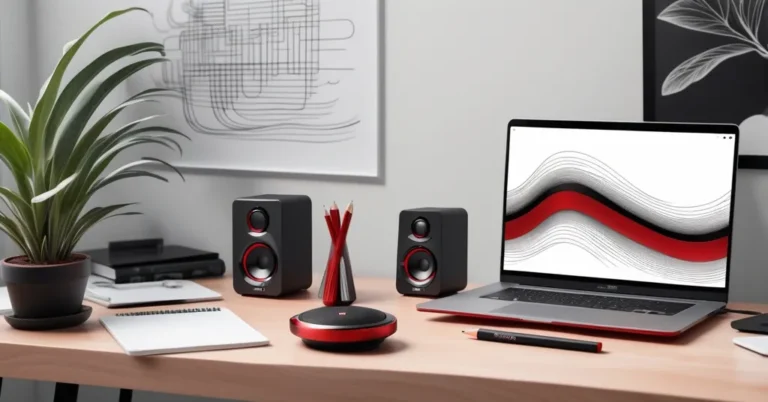
Edifier QR65 review: A stylish desktop speaker upgrade for work and play
If your laptop speakers make conference calls sound like a tin can, the Edifier QR65 are a desktop speaker upgrade that actually feels like an upgrade. They’re compact active monitors (each speaker has its own built‑in amplifier) that pair modern connectivity, hi‑res wired playback, and bold LED styling—without forcing you into a full Hi‑Fi ecosystem.
TL;DR + verdict
Bright, bass‑forward desktop speakers that look as good as they sound for everyday listening. The QR65 deliver a clear step up from portable Bluetooth options with Bluetooth 5.3, USB and 1/4‑inch inputs, hi‑res wired playback (up to 24‑bit/96kHz), and a sub‑out for deeper low end. They’re not neutral reference monitors for critical mixing or vinyl obsessives, but they’re a strong, well-priced choice for home office audio, background music, and small gatherings.
Quick pros & cons
- Pros: Stylish design with mirrored LED baffle, hi‑res wired playback, Bluetooth 5.3, active monitors with built‑in amps, sub‑out, easy setup for a desk.
- Cons: Bass‑forward sound tuning can mask high‑frequency detail, not ideal for neutral monitoring or vinyl fidelity, one‑box limitations compared with modular Hi‑Fi.
Who should consider the Edifier QR65?
These desktop speakers are for people who want a clear upgrade from cheap Bluetooth speakers and care about looks and convenience. Ideal users include:
- Home office workers who want better background music and clearer call audio.
- Designers and remote teams that want attractive, compact systems on desks or shelves.
- Casual listeners who value punchy bass and a lively sound over sterile neutrality.
- Anyone who wants wired hi‑res support without buying separate amps or DACs.
Design and connectivity highlights
The QR65 are compact but thoughtfully specified. Each speaker houses its own amplifier, and the driver complement includes small soft‑dome tweeters (1.25‑inch silk dome) for smoother highs and 2.75‑inch drivers with aluminum diaphragms for the mid/lows. Wired inputs support hi‑res audio up to 24‑bit/96kHz, and wireless streaming uses Bluetooth 5.3 for a more stable connection than older Bluetooth versions.
On the right speaker you’ll find USB and a 1/4‑inch line‑in for connecting a laptop, audio interface, or legacy gear without noisy adapters. There’s also a sub‑out so you can add a dedicated subwoofer if you want more low‑end authority on music or movies.
Specs at a glance
- Model: Edifier QR65
- Drivers: 1.25″ silk dome tweeter, 2.75″ aluminum diaphragm woofer
- Connectivity: Bluetooth 5.3, USB, 1/4‑inch line‑in (right speaker)
- Hi‑res support: Wired playback up to 24‑bit/96kHz
- Extras: Sub‑out, LED lighting with mirrored baffle, Edifier Connex app
- Design options: Black or white finishes
Sound profile and real‑world listening impressions
Short version: engaging and fun, with a low‑end emphasis. The QR65 aim to entertain rather than serve as lab‑grade reference monitors.
In listening tests (Bluetooth from an iPhone and wired sources), the speakers delivered taut, punchy bass that gives pop and electronic tracks a satisfying thrust. On a Majid Jordan track the kick and synths landed with impact and made the mix feel lively; on a bass‑heavy pop cut—think modern chart pop—the low end kept the rhythm present in a way tiny Bluetooth speakers can’t. For acoustic or vocal‑centric songs, such as a Norah Jones or an intimate singer‑songwriter track, the midrange is pleasant but slightly warm: vocals are forward, but subtle high‑frequency air and fine cymbal shimmer can be subdued when the bass is busy.
They aim to entertain more than to act as neutral reference monitors.
That “warmth” is not a flaw for many listeners; it’s a design choice. If you prefer a flat, clinical response for mixing or vinyl playback, you’ll notice the QR65’s tuning and want a more neutral monitor. But for background music, video calls, and casual listening, the sound becomes a strength—clearer and fuller than $20–$100 Bluetooth cubes, and much more satisfying at moderate listening levels.
App, lighting and extra features
The Edifier Connex app controls lighting presets and offers basic sound tweaks. The speakers’ mirrored baffle and 11 preset lighting modes are mostly aesthetic, but they give the QR65 personality on a desk or shelf. Use the app to turn down the LEDs for late‑night work, or sync them to a mood when you’re entertaining.
One practical advantage of the QR65’s design is the sub‑out: adding a small powered subwoofer remedies the lower‑end limitations and helps keep mid/high clarity at higher volumes. If you add a sub, set a conservative crossover and balance levels so the QR65 handle mids and mids‑highs while the sub handles below ~80–100Hz.
Setup and placement tips for best results
- Keep the speakers roughly at ear height and toe them in so the tweeters point toward your ears.
- Allow 4–8 inches between the back of the speakers and the wall to avoid boomy reflections.
- If desk reflections muddy the sound, try moving the speakers slightly forward off the desk or add small isolation pads.
- When adding a sub, place it near your desk’s floor and tune the crossover slowly upward until the bass integrates without overpowering mids.
- Use the wired USB input for hi‑res sources when possible; Bluetooth is convenient but wired gives the best transient detail.
How they compare (short)
- Sonos Era 300: More portable and smart‑speaker features, but less suited as a stationary desktop monitor with wired hi‑res inputs.
- Entry pro monitors (various brands): Tend to be flatter and better for mixing but often lack Bluetooth, LEDs, and consumer‑friendly apps.
Price considerations
Expect to pay roughly $250–$500 depending on retailer, promotions, and regional availability. For people moving up from $20–$100 Bluetooth speakers, the QR65 represent a meaningful upgrade in sound and features without the complexity or cost of separate amps, DACs and modular Hi‑Fi components.
Who should skip the QR65?
- Audio engineers and producers who need flat, reference‑grade monitors for mixing.
- Audiophiles who want separate components, tube warmth, or a dedicated vinyl chain.
- People who prioritize absolute portability above desktop performance.
Key takeaways and FAQs
-
What makes the QR65 a good desktop speaker upgrade?
They combine built‑in amplification, hi‑res wired playback, modern Bluetooth 5.3, and a compact, stylish design—delivering a fuller, clearer sound than cheap Bluetooth speakers without a complicated setup.
-
Are they hi‑res capable?
Yes—wired inputs support hi‑res audio up to 24‑bit/96kHz for better detail than standard Bluetooth streaming allows.
-
Do they work for conference calls?
They make calls sound clearer than tinny laptop speakers, but they don’t include advanced beamforming mics typical of dedicated conference systems—use a headset or desk mic for professional call quality.
-
Should I add a subwoofer?
If you want room‑shaking lows or to reduce the bass load on the QR65 for clearer highs, adding a sub is a sensible upgrade via the sub‑out.
Final verdict and how to audition
The Edifier QR65 occupy a practical sweet spot: stylish desktop speakers with modern connectivity and a fun, bass‑forward sound. They won’t replace a separate Hi‑Fi chain or neutral studio monitors, but for many professionals and home users they’re a sensible, attractive upgrade.
How to audition: try a bass‑heavy pop track (to judge low end), an acoustic or vocal track (for mid clarity), and a cymbal‑rich jazz or electronic track (to assess high‑frequency detail). Listen via USB and Bluetooth if possible—wired playback will reveal the most detail.
Assets and SEO suggestions
- Suggested meta title: “Edifier QR65 review — Desktop speaker upgrade for home office and entertainment”
- Suggested meta description: “The Edifier QR65 are stylish active desktop speakers with Bluetooth 5.3, hi‑res wired playback, and bass‑forward tuning. Read a practical take on who they suit and how they compare to other desktop audio options.”
- Images to include with alt text:
- Product front view — alt: “Edifier QR65 desktop speakers front view with LED lighting”
- Rear I/O close‑up — alt: “Edifier QR65 rear inputs USB 1/4-inch and sub-out close-up”
- Connex app screenshot — alt: “Edifier Connex app showing LED and EQ controls for QR65”
- Speaker on desk for scale — alt: “Edifier QR65 on a home office desk next to a laptop”
- Internal links to consider: best desktop speakers, how to set up desktop audio, Edifier product comparisons.