
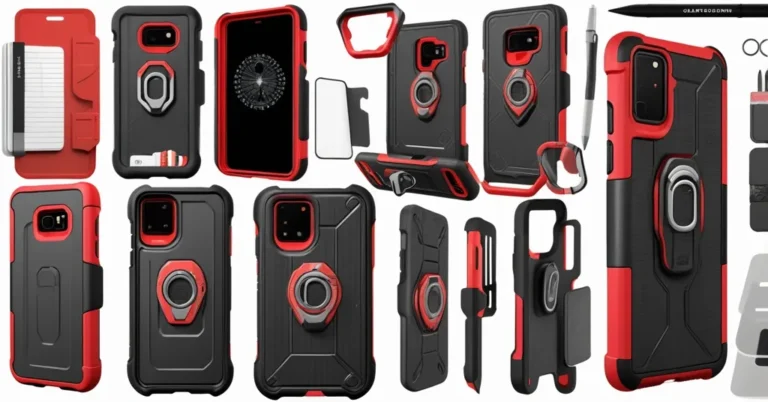
Best Galaxy S26 Cases 2026 — Protection, Style, and MagSafe‑Style Options
You just unboxed a Galaxy S26 — now which case actually protects it without ruining the look? Whether you pick S26, S26+ or S26 Ultra, the right case balances drop protection, pocketability, wireless charging behavior and, increasingly, magnetic accessories. Below are tested picks, practical buying rules, and an enterprise checklist for IT teams buying in bulk.
Samsung announced the Galaxy S26 family at Unpacked in San Francisco; devices arrive in stores on March 11, 2026 with preorders at major carriers and retailers. Key hardware changes include a custom Snapdragon 8 Elite Gen 5 Mobile Platform for Galaxy, faster charging (Super‑Fast Charging 3.0) and improved low‑light video. Those upgrades matter for accessories: faster charging increases heat around the coil, and camera improvements usually mean bigger camera islands—so case fit and material choices matter more than ever.
Quick picks — TL;DR
- Best overall: Spigen Tough Armor MagFit (~$20) — balanced protection, slim profile, built‑in kickstand.
- Best clear: ESR Classic Hybrid Magnetic Case (~$27) — scratch‑resistant back, manufacturer‑claimed high drop rating, clean look.
- Best slim: Pitaka Edge (~$60) — aramid fiber, very thin, introduces the Aaron Button for programmable shortcuts.
- Best rugged: Supcase UB Grip (~$48) — heavy‑duty protection and grip for field use.
- Most stylish: Burga Tough Case (~$55) — patterned dual‑layer designs for fashion‑forward users.
- Best faux‑leather: Torras Ostand Q3 VegSkin (~$55) — vegan leather with microfiber lining and a magnetic 360° stand (S26 Ultra available).
How these picks were chosen
We tested cases hands‑on across S26, S26+ and S26 Ultra review units over multiple weeks. Tests included everyday pocket drops (waist height), grip/feel checks, camera‑island fit, and wireless charging alignment with Samsung’s official chargers and common third‑party Qi chargers. Where brands published drop ratings, we flagged manufacturer claims versus our observations. Pricing and warranty were checked across major retailers.
Selection criteria: fit for model (S26 vs S26+ vs S26 Ultra), protection level, how the case affects wireless charging and magnetic mounts, feel in the hand and pocket, button feedback, price, and any special features (kickstand, smart shortcuts, vegan materials).
Category winners: what they offer and why
Best overall — Spigen Tough Armor MagFit (~$20)
Why it stands out: Spigen balances protection and pocketability better than most budget options. The case follows a MIL‑STD‑style drop‑test design (engineered to survive everyday drops around waist height), while staying slim enough not to bulk out a suit pocket. It includes a built‑in kickstand and magnets tuned for MagSafe‑style accessories.
Best for: most users and businesses standardizing on one reliable, affordable option.
Quick notes: Low price, consistent button feedback, and generally reliable camera bump protection. If you have mission‑critical wireless charging needs, test alignment with your chargers first.
“Spigen’s Tough Armor MagFit strikes a strong balance—slim enough to avoid bulk while still providing meaningful shock absorption.”
Best clear — ESR Classic Hybrid Magnetic Case (~$27)
Why it stands out: Clear cases are about preserving the phone’s finish without adding weight. ESR’s hybrid uses an acrylic back with a scratch‑resistant coating and a flexible bumper. The manufacturer advertises high drop ratings (up to 16 feet); we treat that as a brand claim but confirmed good edge and corner protection in hands‑on drops from waist height.
Best for: users who want the phone’s original color visible and solid protection without a bulky shell.
“The ESR clear hybrid feels sturdy without being bulky and is comfortable in the hand.”
Best slim — Pitaka Edge (~$60)
Why it stands out: Pitaka uses aramid fiber to keep the case thin and light while preserving structural strength. The new Aaron Button is the headline: three programmable shortcuts that can trigger phone modes or smart‑home actions. That feature begins to blur the line between cases and peripheral controllers.
Best for: users who prioritize pocketability and want a tactile, premium feel with a bit of extra smarts.
Security note: smart shortcuts raise questions about permissions and firmware updates—see the security section below before deploying at scale.
“The Aaron Button turns the case into a functional extension of the phone—three customizable shortcuts for quick modes and smart‑home actions.”
Best rugged — Supcase UB Grip (~$48)
Why it stands out: Built for survivability, the UB Grip combines reinforced corners, anti‑slip texture and a reliable kickstand. Manufacturer claims suggest very high drop resistance (around 15 feet); in practice it handles rough treatment and uneven surfaces better than slim shells.
Best for: field workers, logistics crews and anyone who puts phones through extreme daily wear.
Most stylish — Burga Tough Case (~$55)
Why it stands out: Dual‑layer construction masks a protective core with patterned exteriors and a wide range of designs. Offers solid protection with a fashion focus.
Best for: executives and staff who want protection without compromising a curated phone look.
Best faux‑leather — Torras Ostand Q3 VegSkin (~$55)
Why it stands out: Vegan leather that feels premium, lined with microfiber to protect the phone’s finish. Includes a magnetic 360° stand on certain S26 Ultra SKUs for hands‑free video and presentations.
Best for: users who want a refined, executive aesthetic with practical functionality.
At a glance — compatibility and pricing
- Availability: Galaxy S26 models launch in stores March 11, 2026. Preorders open through carriers and retailers.
- Pricing (approx.): Spigen $20, ESR $27, Pitaka $60, Supcase $48, Burga $55, Torras $55. Prices vary by retailer and model (S26 vs S26+ vs S26 Ultra).
- Fit notes: Some S25 cases are close in size but not guaranteed to fit the S26 due to small dimensional and camera‑bump changes. Buy S26‑specific SKUs where possible.
- Magnetics: Many makers advertise MagSafe‑style compatibility. That means magnets and alignment tuned to work with Apple‑inspired accessories; it is not Apple’s MagSafe certification. Expect variable results with chargers and mounts—test before you commit.
Practical guidance: chargers, magnets and camera bumps
Magnetic cases improve car mounting and accessory alignment, but introduce two tradeoffs: wireless charging alignment sensitivity and potential magnetic interference with some accessories. In quick tests, magnet‑equipped cases charged fine on both branded Samsung chargers and common Qi pads, but peak charging speeds and thermostat behavior can vary by case thickness and magnet placement.
Camera islands continue to grow. Look for a raised lip around the camera opening (measured in mm by some manufacturers) to prevent lens contact with surfaces. If photography is a priority, pick a case with a substantial camera bezel rather than a purely slim wrap.
Heat matters. The S26’s faster charging concentrates heat near the coil during fast charge sessions. Very thick rubberized cases can trap heat; thinner materials or cases with vented designs let heat dissipate faster. If your workflow includes frequent full‑speed charging, prefer cases that don’t insulate the coil entirely.
Security and lifecycle questions for smart cases
Cases that add electronics or programmable buttons—like the Aaron Button—offer convenience but raise questions: what permissions does the case require, where are shortcut settings stored, and how are firmware updates delivered? For enterprise deployment, require vendors to document:
- exact permissions and APIs used,
- firmware update policy and rollback procedures,
- data privacy handling (is any event telemetry sent off‑device?),
- support and RMA terms for firmware‑dependent features.
Procurement checklist for IT and operations
- Confirm exact model fit (S26 vs S26+ vs S26 Ultra) and camera‑cutout alignment on sample units.
- Verify MagSafe‑style alignment with your corporate chargers and vehicle mounts; request a vendor sample for pilot testing.
- Request published drop‑test reports or third‑party certification; do a small in‑house drop and thermal test before scaling.
- Check warranty length, RMA window and bulk discount terms—ask about SKU stability if you plan multi‑quarter orders.
- For smart cases, demand documentation on firmware updates, permission scopes and data handling.
- Factor lifecycle cost: unit price × expected replacement rate based on your staff profile (desk users vs field techs).
Which case should you pick?
- For general staff: Spigen Tough Armor MagFit — affordable, reliable and easy to replace.
- For field teams: Supcase UB Grip — prioritize survivability and grip over slimness.
- For executives and client‑facing staff: Torras Ostand Q3 VegSkin or Burga Tough Case — both look premium and photograph well in meetings.
- For power users who hate bulk: Pitaka Edge — thin, tactile and adds programmable shortcuts if you want them.
Key questions and quick answers
Do I need a case for the Galaxy S26?
Yes—cases protect against everyday drops and scuffs. A light protective shell prevents most common damage and preserves resale value.
Will S25 cases fit the S26?
Not reliably. Small dimensional and camera‑island changes mean S25 cases may misalign with buttons or cameras. Buy S26‑specific SKUs for the best fit.
Are magnetic cases safe for wireless charging?
Generally, yes—most MagSafe‑style cases allow wireless charging. Performance varies by charger, case thickness and magnet placement; test your exact charger and mount to confirm alignment and speed.
What does “military‑grade” mean for cases?
It usually refers to MIL‑STD‑style drop‑test designs that simulate common impacts (for example, drops from roughly waist height). It’s shorthand for engineered shock protection, not a government endorsement.
What should IT ask vendors before bulk buying?
Ask for fit confirmation for specific models, drop‑test documentation, firmware/permission details for smart features, warranty and RMA terms, and a sample unit for pilot testing.
Final recommendations for busy buyers
If you only buy one case for an organization: Spigen Tough Armor MagFit is the practical default—affordable, protective and broadly compatible with MagSafe‑style mounts. For teams exposed to physical hazards, prioritize Supcase UB Grip. For executive fleets where appearance matters, choose premium vegan‑leather or patterned dual‑layer options. And always pilot a small batch with your chargers and mounts before rolling out at scale.
Editorial note: product prices and manufacturer claims were checked at retail ahead of the S26 retail launch; some drop ratings are manufacturer‑advertised and treated as claims rather than independently verified lab results. For enterprise purchases, request the vendor’s test reports and an evaluation sample.