
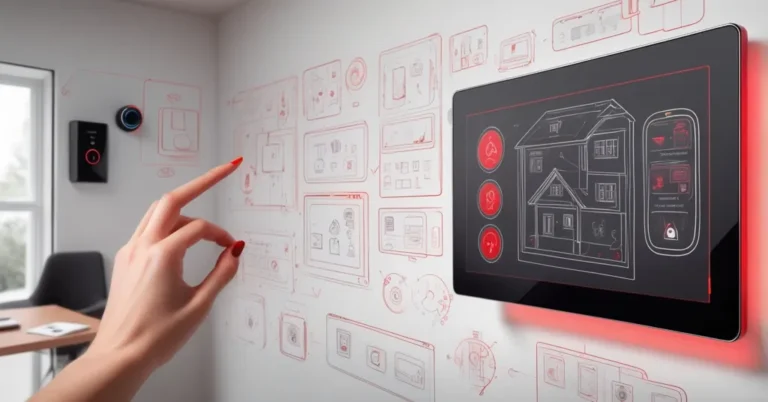
Why Amazon Echo Hub Might Be the Best Dedicated Smart Home Controller You’ll Buy
TL;DR: The Echo Hub is a pared-down, wall-mounted smart home controller that prioritizes device control and routines over media; excellent for Alexa-centric homes and small offices, less ideal if you need integrated audio or ultra-low-latency multi-camera streaming.
Why a dedicated control panel still matters
Smart homes keep getting smarter—and messier. Multiple apps, multiple assistants, and a tangle of radios mean day-to-day control often lives in your pocket instead of on the wall. A dedicated, glanceable control surface solves that simple problem: one place to arm alarms, run routines, check camera tiles, and set scenes without hunting through menus or launching streaming apps.
Amazon’s Echo Hub aims squarely at that niche: an 8‑inch touchscreen built to be a permanent control surface rather than a multimedia centerpiece. At roughly $160–$180 it’s an inexpensive way to give Alexa a visible foothold in an entryway, kitchen, garage or small office.
What the Echo Hub is — and what it isn’t
The Hub focuses on utility. It supports Wi‑Fi and Bluetooth plus several smart‑home protocols — Zigbee, Thread, Matter and Sidewalk — so it can communicate with a broad array of devices. Think of those protocols as different languages smart gadgets use; the Hub speaks most of them.
- Screen: 8‑inch touchscreen, designed to be wall‑mounted.
- Audio: No primary onboard speaker — audio is routed to another Echo device on the network.
- UI: Customizable widgets, routines and room tiles prioritized for one‑tap control.
- Price: Retail in the neighborhood of $158–$180 depending on promotions.
The Echo Hub gives Alexa the dedicated control‑panel presence it deserves—simple access to devices without ads or unnecessary extras.
How it behaved in real-world tests
Test setup: the Hub was evaluated on a dual-band Wi‑Fi (802.11ac) mesh network with the Hub placed roughly 10–15 feet from the nearest node. The home network included multiple Echo Shows, several Echo speakers, a Ring Alarm, Zigbee lights and a mix of Thread/Matter devices. Camera tests used three Ring camera streams and two third‑party RTSP cameras proxied through the Alexa app.
Everyday control delivered the promise: widgets and routines made one‑tap tasks fast. Arming the Ring Alarm, running a morning routine, or turning off a bank of lights took a single touch instead of multiple taps in different apps. For someone already invested in Alexa, that centralization materially reduced friction.
Performance numbers observed during testing:
- Device tile refresh: typically under 1–2 seconds for lights and locks.
- Camera tile load time: roughly 4–6 seconds when opening three Ring streams simultaneously; single-stream warm starts were closer to 2–3 seconds.
- Occasional UI stutters when quickly switching between many device tiles; overall interaction latency was acceptable for routine control but not instantaneous for multi‑camera monitoring.
Two practical notes: first, the Hub’s lack of an integrated speaker isn’t a drawback if your home already has Echo speakers — you simply set a default speaker for audio. Second, when camera tiles load slowly it’s most often a combination of the cloud relay and how the particular camera vendor handles streams; expect some variance depending on camera model and network conditions.
Tradeoffs and limitations
Design discipline is the Hub’s strength and limitation. It deliberately removes multimedia distractions—no built-in music speaker, no persistent news feed, no ads—so the product stops doing many things Echo Show devices do well.
- Pros
- Focused UI for fast control and routine execution.
- Broad protocol support (Zigbee, Thread, Matter, Sidewalk) increases device compatibility.
- Wall-mount convenience gives a permanent, visible control surface.
- Cons
- No primary onboard speaker — audio must be routed to another Echo.
- Camera streaming can show noticeable lag under multi-stream scenarios.
- Relies on cloud processing, which raises familiar privacy tradeoffs.
There are no frills; the Hub exists solely to be a smart‑home hub and nothing more.
Privacy and security: the cloud tradeoff
The Hub depends on Alexa cloud services for much of its functionality: routines, third‑party integrations, and camera proxies. That keeps features broadly compatible and simple to manage, but means device metadata and some media paths traverse Amazon’s servers. For operations teams and privacy-conscious homeowners, that requires a deliberate posture:
- Segment IoT devices onto a VLAN or separate SSID and apply firewall rules where appropriate.
- Review and tighten Alexa privacy settings — disable unused features and set camera or voice log retention policies in the Alexa app.
- For high-sensitivity deployments, evaluate local‑first alternatives and test Hub behavior on an isolated network before rolling out at scale.
Practical deployment checklist for IT and facilities
- Network: Place the Hub on a stable 2.4/5 GHz network (WPA2/WPA3). Use VLANs to isolate IoT traffic and reserve sufficient bandwidth for camera streams.
- Power & Mounting: Wall-mount near existing power outlets. Install at roughly chest height (about 48–54 inches) for easy touch interaction in public or shared spaces.
- Audio routing: Configure a default Echo speaker for media playback if you expect voice-activated audio; test cross-Echo latency.
- Camera planning: Limit the number of simultaneous live camera tiles per Hub in multi-camera environments or ensure higher upstream bandwidth if the Hub will be used as a monitoring station.
- Privacy policy: Document data handling and retention for devices tied to the Hub—use this in multi-tenant or guest-facing installations.
- Provisioning: For many units, prepare a standard setup image/process and a firmware-update schedule. Consider whether Amazon’s management tools meet your scale needs or if third‑party management is required.
Echo Hub vs Echo Show vs Google Nest Hub: who should pick what
- Echo Hub: Best as a dedicated control surface. Pick it if you want one‑tap routines, wall‑mounted presence, and broad device support without media frills.
- Echo Show (8/10): Best if you want a hybrid—control plus video calling, streaming, and a built‑in speaker. Good for bedside or kitchen counters.
- Google Nest Hub: Best if you’re deep in Google services and prioritize local processing for some smart‑home functions (e.g., local voice control on newer models).
Actionable recommendations
- If you manage a small office or shared living space, deploy one Hub as a central control point and test camera behavior under expected load before wider rollout.
- For homes already invested in Alexa and Echo speakers, the Hub is a low-cost way to reduce friction and consolidate control.
- If your priority is local-first privacy or real-time multi-camera monitoring, consider devices designed for local processing or pair the Hub with an on-premises NVR for critical feeds.
What Amazon should improve next
- Reduce camera latency: a firmware update or smarter stream-handling could cut multi-camera load times.
- Offer optional local processing modes for core automations and camera preview to reduce cloud round trips for privacy-sensitive users.
- Provide enterprise provisioning tools or APIs for easier mass deployment and firmware management in commercial settings.
Key findings
- Best fit: Alexa-first homes and small offices that need a visible, shared control surface for lights, locks, alarms and routines.
- Not ideal for: Users who want integrated audio or ultra-low-latency multi-camera monitoring without cloud dependency.
- Value: At about $160–$180, the Hub is a modest investment that can cut time and friction for routine smart‑home tasks.
Quick questions
What protocols does the Echo Hub support?
It supports Wi‑Fi, Bluetooth, Zigbee, Thread, Matter and Sidewalk, so it can communicate with most modern smart‑home devices.
Can it play music by itself?
No — the Hub has no main speaker. Tell it to play audio on another Echo device on your network.
Is it better than an Echo Show for smart‑home control?
For dedicated control it’s superior: the Hub emphasizes widgets and routines without the multimedia distractions of an Echo Show.
Are there performance or privacy concerns?
Expect occasional camera lag when loading multiple streams, and remember the Hub is cloud‑dependent—segmented networks and privacy reviews are recommended for sensitive deployments.
Final verdict
The Echo Hub isn’t flashy, and that’s the point. It trims away distractions to deliver a dependable control surface that saves time and simplifies common tasks. For businesses and homeowners who want a visible, wall‑mounted smart home controller that leverages Alexa’s broad compatibility, it’s one of the most practical buys on the market today. If a control panel is what you need—not a multimedia display—the Echo Hub deserves a top spot on your shortlist.