
When a data scientist clicks “register”: two AWS-native ways to govern models across accounts
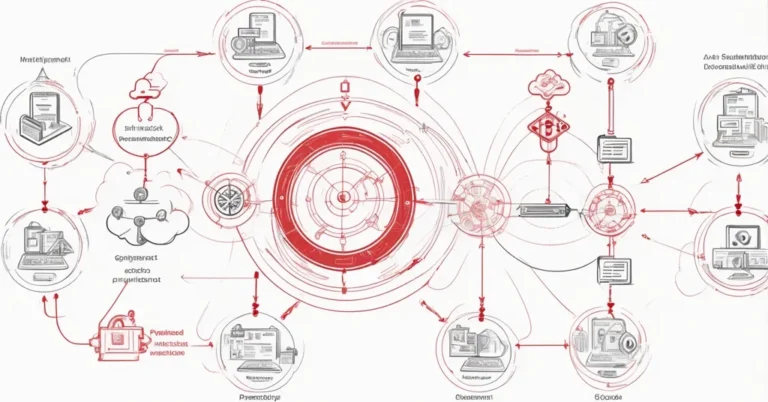
When a data scientist clicks “register, ” who owns the artifact, who can approve it, and where does provenance live? For teams that must satisfy auditors or internal compliance, those are operational questions, not academic ones. This follow-up to the first walkthrough shows two practical cross-account governance topologies that use Managed MLflow, the Amazon SageMaker AI Model Registry, AWS Resource Access Manager (AWS RAM), and EventBridge to promote models from development to governed production.
Quick decision summary
- Central hub (shared MLflow app), Fast iteration and shared tooling. Spokes register directly into a hub-hosted Managed MLflow app. Best when you want centralized control with moderate isolation.
- Hybrid hub (copy-on-approve), Strict isolation and auditable copies. Development accounts stay fully self-contained. Only approved, copied packages are promoted into the hub. Best for regulated environments. Higher operational cost.
- Single-account, Simple, lowest cost. Used for early projects or small teams (covered in Part 1).
Key terms (short)
- Managed MLflow: the MLflow tracking server provisioned inside SageMaker Studio that handles experiment/run tracking and can trigger automatic model registration.
- Model Package Group: a SageMaker Model Registry unit that groups model package versions for lifecycle and approval.
- AWS RAM: Resource Access Manager used to share the Managed MLflow app and Model Package Groups across accounts.
- Model Registry: SageMaker’s AI Model Registry where packages are recorded, staged, and approved.
Prerequisites checklist
- Two AWS accounts: a development (spoke) account and a governance (hub) account. Create named AWS CLI profiles such as mlops-spoke and mlops-hub for testing.
- Deploy the CloudFormation template cfn/sagemaker-studio-mlflow.yaml (one stack per account). The samples live in the AWS samples repo under operations. The examples and CloudFormation referenced in this walkthrough are in the repository subfolder for the SageMaker, MLflow model registry governance samples (check the operations tree for the exact folder name). If you follow the repo and a subfolder name appears misspelled, use the folder that actually exists in the repository.
- Provision the Managed MLflow app with AutoModelRegistrationEnabled so registered models can synchronize to the SageMaker AI Model Registry automatically.
Topology A, Hub-and-spoke central (shared Managed MLflow)
Overview: a single Managed MLflow app lives in the hub and is shared with spokes via AWS RAM. Data scientists in spokes register models against the shared MLflow endpoint. Those registrations synchronously create Model Package Groups and package versions in the hub account.
Persona workflow (high level)
- Administrator: hub creates an AWS RAM resource share for the Managed MLflow app, spokes accept the share.
- Data scientist (spoke): registers a model against the shared MLflow tracking URI, automatic registration creates the Model Package Group and version in the hub account.
- Hub administrator: attaches a resource policy to the Model Package Group and shares it back to the spoke with the AWS RAM managed permission set that allows deployment (commonly called AllowDeploy, confirm the exact RAM managed-permission name or ARN in the console or the CloudFormation template).
- Governance officer (hub): approves centrally in the hub Model Registry.
- Approval triggers EventBridge to start a CI/CD pipeline that creates or updates a SageMaker endpoint in the spoke account.
Permissions and S3 specifics (central)
- The hub artifact S3 bucket must have a bucket policy granting the spoke account these S3 actions: s3:GetObject, s3:PutObject, s3:ListBucket, and s3:GetBucketLocation. Apply least-privilege principles, grant the spoke principal only the required prefixes and actions.
- The spoke deployment role (the role used by your CI/CD or SageMaker deployment) must have explicit s3:GetObject (and s3:ListBucket / s3:GetBucketLocation where needed) on the hub bucket so it can read artifacts at deploy time. Do not rely on bucket naming heuristics, explicitly grant the required actions.
- Automatic registration appends a non-human-friendly suffix to Model Package Group names. When working cross-account, always reference Model Package Groups by full ARN (for example: arn:aws:sagemaker:<region>:<account-id>:model-package-group/<name>) rather than by display name.
- Lineage (experiment/run metadata) created by the automatic sync is recorded in the account where the sync runs. In this pattern that is the hub account. Cross-account lineage sharing is not automatic and requires separate tooling if you need consolidated lineage views.
Topology B, Hub-and-spoke hybrid (copy-on-approve, strict isolation)
Overview: development accounts remain fully self-contained. Models register and are approved locally in the spoke. After local approval a copy workflow replicates artifacts into a hub-owned bucket, rewrites the inference spec to point at the hub copy, and registers a self-contained Model Package in the hub. This pattern prevents direct writes into the governance account from development.
Persona workflow (high level)
- Data scientist (spoke): registers model to the local Managed MLflow app, the model appears in the development Model Registry.
- Model owner (spoke): approves locally, approval triggers the copy workflow.
- Copy workflow (runs under development account role): copies artifacts into a hub-owned S3 bucket, rewrites the inference specification to reference those hub artifacts, and calls CreateModelPackage in the hub destination group. The hub package includes provenance via CustomerMetadataProperties recording the source package ARN and source account.
- Governance officer (hub): re-validates and approves the hub-registered package.
- ML engineer: CI/CD deploys the approved package to the spoke. There is no runtime dependency back to the development account because artifacts now live in the hub.
One-time administrator setup (hybrid)
- Hub: create a destination Model Package Group, attach a resource policy that allows the development account to CreateModelPackage into it, and share that group via AWS RAM using the managed permission set that permits register/create operations (commonly called AllowRegister, confirm the exact managed-permission name / ARN in your environment).
- Hub: create or designate a hub-owned artifact bucket and a bucket policy that grants the development account s3:PutObject and s3:ListBucket (scoped to the prefixes used by the copy workflow) so the copy operation can write artifacts into the hub bucket under the development role.
Result: the hub holds self-contained model packages, inference specs rewritten to the hub artifacts, and provenance metadata stored in CustomerMetadataProperties (for example: {‘source_package_arn’: ‘<arn>’, ‘source_account’: ‘<account-id>’}).
How approval becomes deployment
- When a model package status changes to Approved in the SageMaker Model Registry, SageMaker emits an Amazon EventBridge event with ModelApprovalStatus: Approved.
- An EventBridge rule matches that event and invokes your CI/CD flow. That could be CodePipeline, Step Functions plus ECS, a Jenkins job, or any orchestrator you prefer. The orchestrator creates or updates the SageMaker endpoint in the deployment account.
- Operational note: in the central pattern, the deployment step reads artifacts from the hub bucket at deploy time, so the deploy role must have explicit read permissions on the hub bucket. In the hybrid pattern, deploy reads from the hub-registered package artifacts which are already in the hub bucket and self-contained.
Topology decision guide (trade-offs)
- Single-account (Part 1): simplest to operate, lowest operational cost. Good for experimentation and small teams. No cross-account governance controls.
- Hub-and-spoke central: faster iteration and shared tooling. Spokes write into the hub. Governance is enforced by account boundaries and RAM shares. Moderate operational cost. Consider this when teams can tolerate hub write access.
- Hub-and-spoke hybrid: strongest isolation and auditable artifacts. Development accounts never write directly into hub Model Registry. Only approved, copied packages are promoted. Higher operational cost, including storage, cross-account data movement, and copy workflow orchestration. Best for regulated environments.
Practical gotchas and operational checklist
Identity & access
- Confirm exact AWS RAM managed-permission names/ARNs (AllowDeploy / AllowRegister) in your region and in the CloudFormation templates. The samples include configuration references, copy those into your IaC rather than guessing names.
- Grant exactly the S3 actions required (s3:GetObject, s3:PutObject, s3:ListBucket, s3:GetBucketLocation) and scope them to the minimal prefixes. Do not rely on bucket names or broad managed policies as a shortcut.
- KMS: if artifacts are encrypted, add the deployment and copy roles to the KMS key policy. Hub and spoke principals need decrypt where appropriate. Test decrypt permissions from the deployment role before relying on them in production.
Data & storage
- Hybrid copying increases S3 storage and possibly inter-account transfer costs. Estimate using your model artifact sizes and expected promotions.
- Private container images: either replicate private images into a hub ECR repository or add ECR permissions for the deployment roles. Plan this into your artifact-copy strategy.
- Cross-region considerations: cross-region S3 and ECR reads or replication add latency and cost. Prefer same-region deployments for lower complexity unless your architecture explicitly requires cross-region resources.
Observability & auditing
- Lineage is recorded in the account where the sync or copy executed. If you need consolidated lineage or audit reports, plan a process to export or index lineage metadata into a central reporting system.
- Enable CloudTrail in both hub and spoke accounts and forward events to a central SIEM or logging account for governance auditing. Capture ECR, S3, and SageMaker registry API activity.
- Log the copy workflow’s operations, who triggered it, source package ARN, and target package ARN. Surface those events in your governance dashboard.
Cost
- Central pattern: storage and request costs for shared artifacts, plus moderate operational overhead.
- Hybrid pattern: additional storage for hub copies, possible cross-account transfer charges, and the cost of running the copy workflow. Model artifact sizes and promotion frequency will drive costs, so measure with a sandbox run.
Cleanup, recommended order and why
Remove resources in dependency order to avoid stuck deletions and unexpected charges:
- Delete SageMaker endpoint and endpoint configuration in the spoke account. These reference the model and consume runtime charges.
- Delete the SageMaker model in the spoke account.
- Remove AWS RAM resource shares (Model Package Group share and Managed MLflow app share) so cross-account dependencies drop.
- Delete Model Package versions, then the Model Package Group in the hub account. Delete versions first to avoid blockers.
- Delete the MLflow registered model in the hub Managed MLflow app.
- Remove the hub artifact bucket’s cross-account bucket policy, or delete the bucket if it was dedicated to these samples.
- Delete CloudFormation stacks in both accounts. If a stack deletion stalls on a Studio domain resource, first delete any running Studio apps and spaces in the domain.
Sandbox test plan, validate end-to-end
- Register a small test model in the spoke and confirm a Model Package appears in the expected account (hub for central, spoke for hybrid).
- Approve the package (local approval for hybrid, hub approval for central) and confirm the ModelApprovalStatus: Approved event appears in EventBridge.
- Verify the EventBridge rule triggers your CI/CD pipeline and that the pipeline runs to completion.
- Confirm the endpoint is created or updated in the spoke and that the deployment role could read artifacts, or that artifacts were copied to the hub depending on topology.
- Check logs, CloudTrail entries, and the copy workflow provenance metadata (CustomerMetadataProperties) to ensure source package ARN and account are recorded.
Where to find working examples and templates
- Samples and notebooks: https://github.com/aws-samples/genai-ml-platform-examples/tree/main/operations
- Look for the SageMaker, MLflow model registry governance subfolder in that operations tree (the repository contains the CloudFormation template cfn/sagemaker-studio-mlflow.yaml plus the example notebooks and copy-workflow code). If you see an unexpected folder name in the repo, use the existing folder in the tree, the samples are organized under operations.
Authors and acknowledgements
Melanie, PhD (Senior Generative AI Specialist Solutions Architect, AWS, Sydney), Paolo Di Francesco (Senior Solutions Architect, AWS), and Ram Vittal (GenAI/ML Specialist SA, AWS). Contributions acknowledged from Rahul Kharse and Siamak Nariman.
Next actions (short)
- Run the sample templates in a two-account sandbox to validate end-to-end flow and measure costs.
- Harden IAM and KMS policies to least privilege and add CloudTrail and central logging for auditability.
- Decide whether you need the central trade-off for speed or the hybrid trade-off for isolation, and estimate storage and transfer costs for the chosen pattern.
- Automate the test plan above as part of your platform onboarding checklist.
Quick takeaways, questions you’ll ask, answered
-
Do I need two accounts to use these patterns?
No for experimentation: the single-account option in Part 1 is sufficient. Yes for cross-account governance: to separate development and central governance you should run at least one spoke and one hub account and test using named CLI profiles (for example, mlops-spoke and mlops-hub).
-
What S3 permissions are required for the central topology?
The hub artifact bucket must grant the spoke account s3:GetObject, s3:PutObject, s3:ListBucket, and s3:GetBucketLocation. The spoke deployment role also needs s3:GetObject (and list/location where applicable) on the hub bucket so the deploy can read artifacts. Implement these as least-privilege bucket policies scoped to the required prefixes.
-
How does the hybrid copy workflow preserve provenance?
The copy workflow replicates artifacts into a hub-owned bucket, rewrites the inference specification to reference the hub artifact locations, and registers the new hub Model Package with CustomerMetadataProperties that record the source package ARN and source account.
-
Will model lineage be visible across accounts automatically?
No. Lineage is recorded in the account where the automatic registration or copy executed (hub for central sync; development account for local registration in hybrid). Consolidating lineage across accounts requires additional tooling and export or indexing.
-
How does approval trigger deployment?
An approval transition to Approved emits an Amazon EventBridge event (ModelApprovalStatus: Approved). An EventBridge rule can start a CI/CD pipeline that creates or updates a SageMaker endpoint from the approved Model Package.
Choose the topology that matches your compliance and operational appetite: central for shared tooling and velocity, hybrid for strict isolation and auditable promotion. The combination of Managed MLflow, SageMaker AI Model Registry, AWS RAM, and EventBridge gives you the primitives to enforce approval gates and automate safe model promotion while preserving evidence and provenance for auditors.