
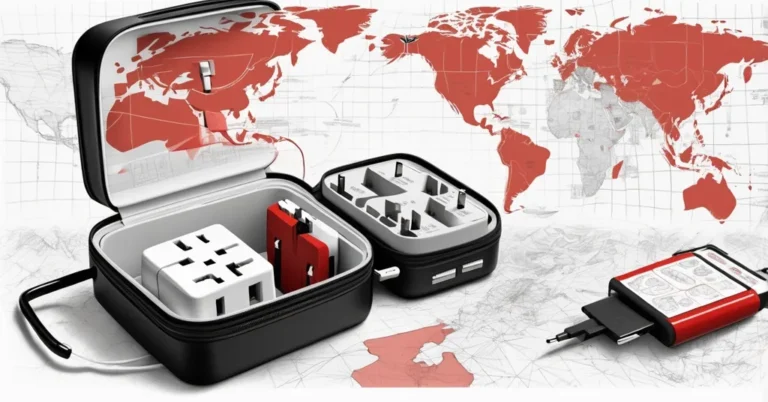
Universal adapter vs. travel charger: Confused? Here’s the device you need most
You land in London, plug something in, and your cheap adapter leaves the metal prongs exposed. That little jolt of panic is exactly why the right travel power gear matters.
Quick decision: which to pack
- Travel light, few devices: A quality universal travel adapter with integrated USB ports keeps things simple and takes up less space.
- Multiple USB‑C devices and laptop power: Bring a high‑wattage GaN travel‑ready charger (140-205W class) with clip‑on prongs for reliable, laptop‑class USB‑C power.
- Grounded or high‑power appliances: Don’t use non‑grounding adapters. Either find a grounded adapter or use a dual‑voltage version of the appliance. Voltage converters are bulky and often impractical for travel.
What each device actually does
Universal travel adapter changes plug shape so your plug fits local sockets. Good models include USB ports and safety features (shutters, internal fuse), but they do not convert voltage. A non‑grounding adapter removes the earth connection, which is safe for some devices and dangerous for others.
Travel‑ready charger is a compact charger built to deliver significant USB power (often GaN‑based) and uses interchangeable prongs or clip‑on heads to fit local outlets. It acts like a wall charger first and an adapter second.
Product examples (what the specs actually mean)
- Ceptics 140W GaN universal travel adapter, Covers Type A, Type C, Type I, and Type G sockets (well over 150 countries). The unit accepts 100-250V AC, 50/60Hz but is not a voltage converter and will pass mains through to your device. It includes a universal input socket with safety mechanisms and a built‑in fuse (with a spare). USB outputs are listed as three USB‑C ports (two rated up to 140W and one 18W) plus an 18W USB‑A port; verify the per‑port vs combined output for simultaneous charging. Price cited: $51. (Personal note: I used one on a recent trip to Spain, it handled a phone, laptop brick, and power bank in hotel rooms without issue, but that’s anecdotal.)
- BMX GanSTA 140W travel‑ready charger, Uses clip‑on prongs (Type C, Type I, Type G). Ports on the unit are listed as two USB‑C ports rated to 140W, a 65W USB‑C, and an 18W USB‑A. As always, check the charger’s spec sheet for total combined output limits. It also features a touchscreen display that reports port activity. Price cited: $89.
Across the market, USB output on universal adapters ranges from roughly 35W up to 205W on the high end. Those headline numbers are useful, but marketing often lists per‑port peaks that aren’t sustainable across multiple ports at once. Check both per‑port maximums and the aggregate power budget.
How to read the labels: voltage, frequency, and grounding
Before you plug in anywhere, check the device’s input label. Look for text like “Input: 100-240V ~ 50/60Hz”, that tells you the charger is auto‑sensing and will work across most countries without a voltage converter. If the label doesn’t list a wide range, the device may require a converter or a local replacement.
Frequency (50Hz vs 60Hz) matters for a small set of devices with synchronous motors or timing tied to mains frequency, such as some clocks and turntables. For phones, laptops, and most chargers it is not relevant.
Grounding (protective earth) is the third prong on many plugs. A non‑grounding adapter removes that earth connection, which is a real safety issue for devices that rely on protective earth. Some devices are double‑insulated (look for the Class II double‑square symbol) and don’t require earth. Many laptop bricks, for instance, are Class II, but don’t assume every grounded plug is safe without the earth pin. When in doubt, check the device manual or manufacturer label.
Examples of common voltages and plugs to keep in mind: the US NEMA 5‑15 outputs 120V/60Hz. Japan uses around 100V. Paraguay is listed at about 230V. Countries using Type G sockets include the UK, Ireland, Cyprus, Malta, Malaysia, Singapore, Hong Kong, and much of the Arabian Peninsula. For full country‑by‑country outlet and voltage charts, WorldStandards.eu is a comprehensive reference.
GaN and USB Power Delivery, why the wattage numbers can confuse
GaN (gallium nitride) is a semiconductor technology that lets chargers be smaller and more efficient than older silicon designs. That is why you now see compact 140W and even 205W bricks.
USB Power Delivery (PD) governs how devices negotiate voltage and current over USB‑C. Newer PD revisions, including PD 3.1 Extended Power Range (EPR), enable higher voltages and the 100-140W class over a single port. A charger can advertise a per‑port peak while limiting total simultaneous output. If you plan to run a laptop and another device at full speed, confirm the charger’s per‑port and combined wattage in its technical specs.
Beware the “deathdapter”, a brief safety checklist
“Don’t be tempted to buy the cheap “universal” travel plug adapters that you might see for sale in sketchier, more unregulated parts of the internet. This is because the outlet on the front usually lacks any safety features and allows you to easily touch the live innards with a curious finger or careless metal pen.”, ZDNET
- Buy adapters/chargers with physical shuttered sockets and an internal fuse.
- Check for safety certifications (CE, UL/ETL, UKCA) appropriate to your region.
- Read reviews that mention heat, build quality, and reliability under load.
- Avoid unbranded, exposed‑metal designs, the nickname “deathdapter” exists for a reason.
Practical tips hotels, grooming tools, and batteries
Many modern hotels include USB‑A/C outlets built into bedside tables. Peek at photos or ask reception before packing extra bricks. For high‑power grooming tools like hair dryers and straighteners, prefer dual‑voltage travel models or use hotel appliances. Voltage converters tend to be heavy and are often unreliable for high‑wattage devices.
If you carry power banks, check airline limits on battery capacity for carry‑on versus checked luggage. Those rules affect what you can bring alongside chargers.
Resources worth bookmarking
- WorldStandards.eu, exhaustive country‑by‑country outlet and voltage reference.
- Manufacturer spec sheets, always verify per‑port and total output before assuming simultaneous power delivery.
- ZDNET, for practical consumer safety notes and aggregated recommendations.
Key takeaways, quick Q&A
- Do plug adapters convert voltage?
No. They only change plug shape. If your device isn’t rated for the local mains voltage, you’ll need a voltage converter or a dual‑voltage device.
- Are modern chargers safe to use worldwide?
Many modern chargers accept 100-250V AC and 50/60Hz (auto‑sensing), so they work in most countries. Action: check the charger’s input label before you plug in.
- Which is better for travel: a universal adapter or a travel‑ready charger?
It depends on priorities. Universal adapters are compact and simple. Travel‑ready GaN chargers deliver higher USB power for multiple devices. If you need both simplicity and high wattage, bring one of each or choose a travel charger with integrated adapter heads.
- Are cheap universal adapters safe?
No, avoid low‑cost, unbranded units that expose live parts. Buy models with shutters, fuses, and recognized safety marks (CE/UL/UKCA/ETL).
- What about hair dryers and other high‑power devices?
Prefer a dual‑voltage travel model or use local/hotel appliances. Voltage converters are bulky and often unreliable for sustained high‑wattage use.
Before you go: 1) Check device input labels for “100-240V ~ 50/60Hz” and the Class II double‑square symbol. 2) Note which devices require protective earth. 3) Verify per‑port and combined wattage on any high‑power charger. 4) Buy certified adapters with shutters and a fuse, and skip the “deathdapter.”