
TL;DR: I spent a semester in a Chicago high‑school English classroom where students regularly used ChatGPT, Gemini, Claude and other AI agents. The practical answer is neither ban nor full embrace: protect in‑class, tech‑free space; teach AI literacy; redesign assignments to reward process and local context; and keep human feedback where empathy and judgment matter.
AI in the classroom: what a trainee teacher learned about ChatGPT, cheating and teaching
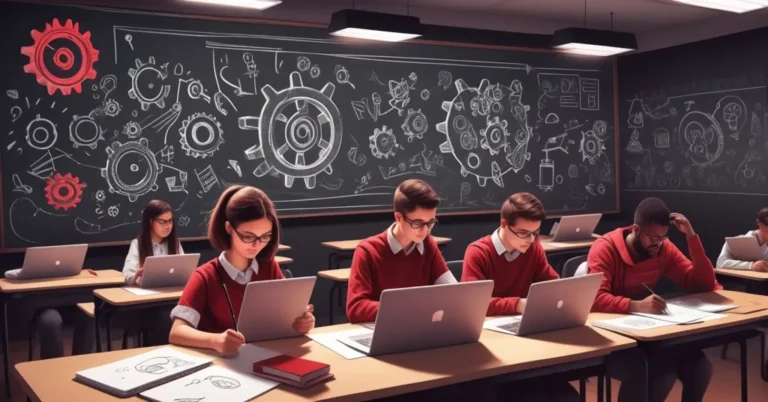
I spent a semester in a Chicago suburb high school where every student effectively carried ChatGPT in their pocket. At 39, after fifteen years as a freelance writer and novelist, I swapped story deadlines for lesson plans and spent about 15 hours a week shadowing Emily, a veteran English teacher. The scene was simple and strange at once: communal silent reading and handwritten drafts, alongside school‑issued laptops and software that let the teacher see every student screen in a grid.
What I saw: AI agents, shortcuts and real conversations
Students arrived with accounts for ChatGPT, Google’s Gemini, Anthropic’s Claude, Microsoft Copilot and editing tools like Grammarly. They used these tools for flashcards, outlines, thesis brainstorming, social posts and sometimes full drafts. A few interactions were helpful—students iterating a sentence with Grammarly or asking a chatbot for an alternate ending. More often, the technology produced tension: essays with made‑up or incorrect references (hallucinated citations), arguments over where work really came from, and at least one student who admitted using AI to finish an entire assignment.
“The screen‑monitoring software simplified policing drafts — but it made the room feel like Big Brother,” Emily said.
When I tested chatbots myself, careful prompting produced texts that could pass as student work. Detection tools were inconsistent. If a model could mimic a student’s voice, the only reliable proof of authorship was process evidence: earlier drafts, notes, annotated steps and in‑class work. The presence of surveillance software made it easier to catch some shortcuts — and also made the classroom feel surveilled.
Two strong reactions from teachers: ban or integrate
Conversations among educators split into two familiar camps. One side argued for strict bans and detection: keep the friction of learning intact—the awkward first draft, the small discovery that leads to a genuine idea. The other side pushed to embrace AI: use chatbots as scalable, personalized assistants that can give on‑demand feedback and lift routine tasks from teachers’ plates. Both contain truth. The practical space between those poles is where teachers actually work.
What changed when assignments were redesigned
Emily’s classroom offered a test case. When assignments required local detail, personal reflection or rapid in‑class drafting, AI shortcuts lost their appeal. A task asking students to choose a soundtrack for a scene produced inventive connections tied to personal playlists. Asking students to rewrite Binyavanga Wainaina’s satirical essay for a new target generated clearly original rhetorical play. By contrast, take‑home prompts that could be answered with a single chatbot prompt produced more AI‑like submissions.
I also chose to keep qualitative feedback human. I printed student stories, read them by hand and left handwritten notes. That simple step preserved the emotional, judgmental labor of teaching—things AI is poor at: noticing patterns over time, asking nudging questions, trusting the messy work of revision.
Practical teacher toolkit: immediate steps you can try this week
- Protect tech‑free, communal time. Reserve at least one class period for silent reading and discussion with no devices. Preserve the shared experience of reading aloud or discussing passages together.
- Require process documentation. Ask for drafts, annotated notes, screenshots of research steps, short reflective memos describing choices. Process evidence is far more reliable than detection alone.
- Redesign prompts to be AI‑resistant. Require local context, personal anecdotes, or in‑class components that a chatbot cannot know or replicate.
- Keep grading human for qualitative feedback. Use AI tools for mechanical tasks (spellcheck, basic grammar) if you want, but deliver substantive responses yourself—especially on ideas, voice and argument.
- Short AI literacy mini‑lesson (45 minutes). See the sample below for a ready‑to‑run plan.
- Teach responsible prompting and limits. Show students how chatbots generate text (pattern prediction, not “understanding”), what hallucinations are, and how outputs can reflect biases and gaps.
- Use quick formative checks. Pop quizzes, in‑class freewrites and oral defenses help confirm who did the thinking.
- Model strong revision habits. Share your own drafts and revisions so students learn that quality comes from iteration, not instant polish.
Sample prompt before → after (practical)
Before (easy to hand to AI): “Write an essay arguing whether All Quiet on the Western Front should still be required reading.”
After (AI‑resistant): “Using a passage from chapter 6 of All Quiet on the Western Front that we read aloud in class, write a 600‑word essay connecting the passage to a specific local historical event or personal family story. Include a 150‑word reflection on why you chose that connection and attach the annotated passage with three margin notes about language choices.”
45‑minute mini‑lesson: How chatbots work (classroom-ready)
- Objective: Students will explain, in plain language, how chatbots generate text and identify at least two limitations.
- Warm‑up (5 min): Ask students to list where they’ve used AI this week.
- Explain (10 min): Simple metaphor: chatbots are autocomplete on steroids—trained on huge amounts of text to predict the next word. They don’t “know” facts the way people do and sometimes invent details.
- Activity (20 min): Small groups give a prompt to ChatGPT/Claude and compare chatbot output to a student‑written paragraph. Groups identify hallucinations, clichés, or factual errors.
- Wrap (10 min): Each group writes a short classroom policy: two ways they will use AI responsibly and two things they will never outsource to a chatbot.
For leaders: strategy and policy checklist
- Invest in professional development for AI literacy. Give teachers time and pay to learn how tools work and to redesign assessments.
- Pilot before procurement. Run small pilots with clear metrics: student authorship rates, time to feedback, engagement and equity indicators.
- Procure with legal review. Review contracts, data‑use terms and privacy implications before adopting third‑party models for classroom use.
- Protect equitable access. Ensure policies don’t widen gaps: students with home internet or paid tools shouldn’t gain an unfair advantage.
Wider stakes: authorship, labor and the environment
These classroom choices sit inside larger debates. Authors’ groups have raised claims against AI companies alleging models were trained on copyrighted works without consent. The question of who owns or profits from AI‑generated text is unresolved and has practical implications for schools that use commercial models.
There’s also the human labor behind many AI outputs—low‑paid annotators and moderators often clean and label data. And scaling models requires data‑center infrastructure that consumes energy. Leaders should treat these as part of AI literacy: students deserve a grounded sense of who builds these tools, who profits, and what tradeoffs are hidden behind a polished chatbot answer.
Key takeaways and reflective questions
Should teachers ban AI tools outright?
Blanket bans remove easy shortcuts but leave students unprepared for workplaces where AI is common. A hybrid approach — protecting in‑class, tech‑free learning while teaching AI literacy and redesigning assessments — is more defensible.
Can teachers reliably detect AI‑generated work?
No. Modern models can mimic voice and polish. Process evidence—earlier drafts, research notes, in‑class drafts and oral checks—provides stronger proof of authorship than detection software alone.
Do chatbots help or harm learning?
Both. Chatbots can accelerate practice and provide rapid scaffolds, but they can also short‑circuit cognitive work if assignments reward polished final products rather than the thinking that produced them.
How should assignments change to reduce one‑click cheating?
Require local context, personal reflection, documented drafts, in‑class work and short meta‑commentary about choices. Creative, interest‑driven prompts reduce the temptation to hand the task to an AI.
What should AI literacy include for students?
Plain‑language explanations of how models generate text, why hallucinations occur, the copyright and labor questions behind training data, and the incentives that shape outputs.
Next steps for teachers and leaders
Start small: protect a weekly tech‑free period, run a single mini‑lesson on how chatbots work, and redesign one upcoming assignment to require process evidence. For district leaders: fund PD, pilot responsibly, and make procurement decisions with legal and equity reviews.
AI is like a power tool: brilliant when used with skill, risky in untrained hands. The educational task is to teach skill and judgment first, then decide where the tool helps rather than harms the work of learning.
Author: A former freelance writer and novelist turned trainee teacher who spent a semester observing and co‑teaching in a suburban Chicago high school. If you’re a teacher or leader piloting AI strategies, share a redesigned prompt or request the short one‑page checklist for classrooms.