
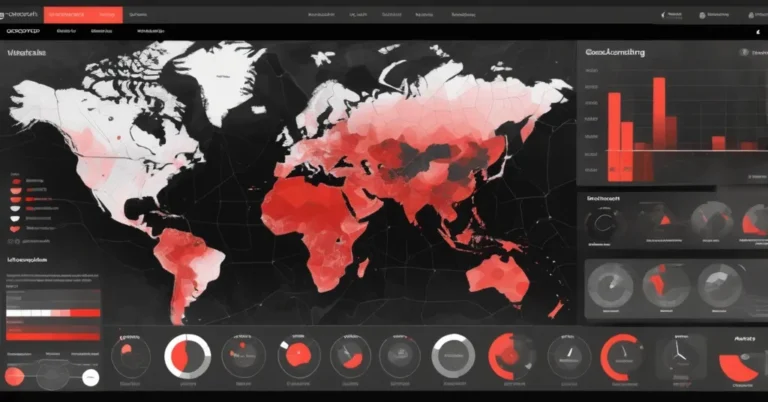
Interactive Geospatial Dashboards with Folium: Heatmaps, Choropleths, Time Animation & Live Feeds
TL;DR: Folium (a Python wrapper for Leaflet) lets data teams prototype interactive geospatial dashboards fast—standalone HTML maps with heatmaps, choropleths, clustered markers, time animations, and live feeds. Use it to validate ideas and share demonstrators; move to tile caching, vector tiles, or a small web app when you need multi-user scale, SLAs, or heavy concurrency.
Who this is for: analysts, product managers, ops teams and engineering leads who need rapid, shareable geospatial monitoring or dashboards (logistics, retail site planning, risk mapping, incident response).
Why maps win for business problems
Maps turn coordinates into decisions: a delivery ops manager spots neighborhood delivery failures with a heatmap, a retail planner visualizes underserved catchment areas with choropleths, and a risk analyst watches earthquakes or floods by feeding live geodata into a shareable dashboard. Folium removes the front-end barrier—no custom JavaScript required—so analysts and product teams can iterate quickly and get stakeholder feedback.
Quick feature tour (what you can build in a few hours)
- Basemaps & layer controls — swap OpenStreetMap, CartoDB Positron/dark_matter, or Stamen tiles to change tone for analysis versus storytelling.
- Advanced markers & popups — HTML-rich popups with images, links and structured attributes for assets or inspections.
- Heatmaps (density visualization) — visualize concentration without plotting thousands of raw markers.
- MarkerCluster (group many points) — scale UX to thousands of locations with progressive disclosure.
- Choropleth (region-based color shading) — color U.S. states, counties, or custom polygons by any metric.
- Time animation — TimestampedGeoJson for scrubbable event sequences (storms, vehicle tracks, incidents).
- Live feeds — integrate open feeds (for example, USGS earthquake geojson) and categorize, heatmap, or cluster events.
“In this Folium tutorial, we build a complete set of interactive maps that run in Colab or any local Python setup.”
Example demos included
- Multi-tile basemap selector (OpenStreetMap, CartoDB, Stamen).
- NYC landmark markers with HTML popups (Statue of Liberty, Empire State, Central Park, Brooklyn Bridge, Times Square).
-
“NYC Crime Density Heatmap”
— 1,000 synthetic incidents showing hotspots.
- 5,000 random markers across the continental U.S. to demo MarkerCluster performance.
- U.S. states choropleth joined to unemployment-like sample data.
-
“Hurricane Path Animation”
— TimestampedGeoJson with 6-hour steps.
-
“🌍 Global Earthquake Monitor”
— live USGS feed (M ≥ 2.5) and a labeled layer:
“Real-time earthquake data (M ≥ 2.5)”
Minimal code snippets to get started
These copy-paste examples show core patterns. They assume folium, pandas and requests are installed.
from folium import Map, Marker, LayerControl
m = Map(location=[40.7, -74.0], zoom_start=11, tiles='CartoDB positron')
Marker([40.6892, -74.0445], popup='Statue of Liberty').add_to(m)
m.save('basic_map.html')
from folium.plugins import HeatMap
# df with columns ['lat', 'lon', 'weight']
HeatMap(df[['lat','lon','weight']].values.tolist(), radius=15).add_to(m)
m.save('heatmap.html')
from folium.plugins import MarkerCluster
mc = MarkerCluster().add_to(m)
for _, row in df.iterrows():
    Marker([row.lat, row.lon], popup=row.info).add_to(mc)
m.save('clustered.html')
from folium.plugins import TimestampedGeoJson
# ts_geojson is a GeoJSON with time properties (ISO format)
TimestampedGeoJson(ts_geojson, period='PT6H', add_last_point=True).add_to(m)
m.save('time_animation.html')
import requests, time
def fetch_usgs(url, retries=3):
    backoff = 1
    for i in range(retries):
        try:
            r = requests.get(url, timeout=10)
            r.raise_for_status()
            return r.json()
        except Exception:
            time.sleep(backoff)
            backoff *= 2
    # fallback: load local sample.geojson
    with open('sample_usgs.geojson') as f:
        return json.load(f)
data = fetch_usgs('https://earthquake.usgs.gov/earthquakes/feed/v1.0/summary/2.5_month.geojson')
Suggested function signatures for reusable code:
- build_heatmap(df, lat_col, lon_col, intensity_col=None, radius=15)
- create_choropleth(geojson, data_df, key_on, value_col, colormap)
- build_timestamped_layer(geojson, time_property, period=’PT1H’)
Practical production guidance and trade-offs
Folium renders maps in the user’s browser (client-side). That makes it lightweight and easy to share, but browsers have limits. Thousands of points are manageable with MarkerCluster or heatmaps; tens of thousands of raw markers or very large GeoJSON payloads will slow or crash browsers.
When usage grows, follow this recommended roadmap:
- Prototype: Folium maps exported as standalone HTML for stakeholder review and quick demos (hours to a few days).
- Stabilize: add caching of live feeds (5–30 minute TTL depending on criticality), basic provenance metadata, and a CDN for static HTML.
- Scale: pre-aggregate on the backend (PostGIS, Spark) and serve raster or vector tiles (TileServer GL, Mapbox). Use a small web app (Flask, Streamlit or Dash) when you need auth, user state, or real-time pushes.
- Operate: add monitoring, automated smoke tests for external feeds, and SLA-driven refresh policies.
Concrete numbers and tips:
- Browser-friendly payload sizes: try to keep single JSON payloads under 1–2 MB for initial load.
- Marker thresholds: MarkerCluster works well for a few thousand points; plan to aggregate or tile beyond ~10k features.
- Tile caching: use CDN-backed tiles with TTL 24h for static basemaps; dynamic layers (live events) often need 1–30 minute TTLs.
- Backends: PostGIS for spatial joins and aggregation; Tippecanoe for vector tile generation; Redis for short-term caching of live feeds.
Security, privacy & testing
- XSS risk: sanitize HTML in popups or use branca templates carefully.
- PII: avoid exporting raw customer addresses in public HTML; aggregate or hash identifiers for shared dashboards.
- Testing: unit-test map generation, smoke-test external feed endpoints, and validate incoming schemas (presence of coords, timestamp, magnitude).
Real-world use cases and KPIs
- Logistics: Heatmap of delivery exceptions. KPI: reduce exception hotspots by 20% in 90 days after targeted interventions.
- Retail site planning: Choropleth of sales per region. KPI: identify 3 underserved zip codes with revenue potential >$100k/year.
- Emergency response / situational awareness: Live feeds and animated incident timelines. KPI: reduce average decision lag time from 30 minutes to under 10 minutes with an operational dashboard.
Operational checklist (quick)
- Validate and cache live feed; log fetch timestamp and source URL in map metadata.
- Enforce payload size limits; pre-aggregate server-side where possible.
- Include attribution for tile providers and check rate limits and terms of use.
- Offer a “lite” view for mobile users (fewer layers, pre-aggregated tiles).
FAQ
How quickly can Folium get a geospatial dashboard in front of stakeholders?
Very quickly—a working interactive map with heatmaps, choropleths and marker clusters can often be built and exported to standalone HTML in a few hours to a day, depending on data readiness.
Will Folium handle thousands of points?
Yes for visualization: MarkerCluster and HeatMap scale UX to thousands, but browser rendering and interactivity degrade beyond a certain point. Backend aggregation or vector-tiling is recommended when you approach tens of thousands of features.
Can live feeds like USGS be trusted for operational dashboards?
They’re excellent for situational awareness. For mission-critical use, add validation, retries, caching, provenance logging, and SLA rules for data staleness.
When should you move from Folium HTML exports to a web app?
Move when you need authentication, multi-user workflows, real-time updates, strict SLAs, or integrations with backend services. A small Flask/Streamlit/Dash wrapper is a common next step.
Resources & links
- Folium docs
- Leaflet (JS library)
- USGS M ≥ 2.5 past 30 days feed
- Mapbox (vector tiles & hosted tiles)
- Tippecanoe (vector tile generation)
Next steps
If you want a ready-to-run baseline, create a Colab notebook that contains: requirements, the basic map snippet, heatmap and markercluster examples, plus a function that fetches the USGS feed with retry and fallback. From there, convert an approved demo into a small web app (Streamlit or Flask), add caching and provenance metadata, and run a 1-week pilot with stakeholders to validate UX and SLAs.
Folium is a pragmatic first step: it accelerates prototyping and stakeholder alignment. When dashboards graduate from prototype to mission-critical, the path forward is clear—add caching, move heavy lifting to the backend, and serve pre-rendered tiles or vector tiles to keep the browser fast and the team confident.